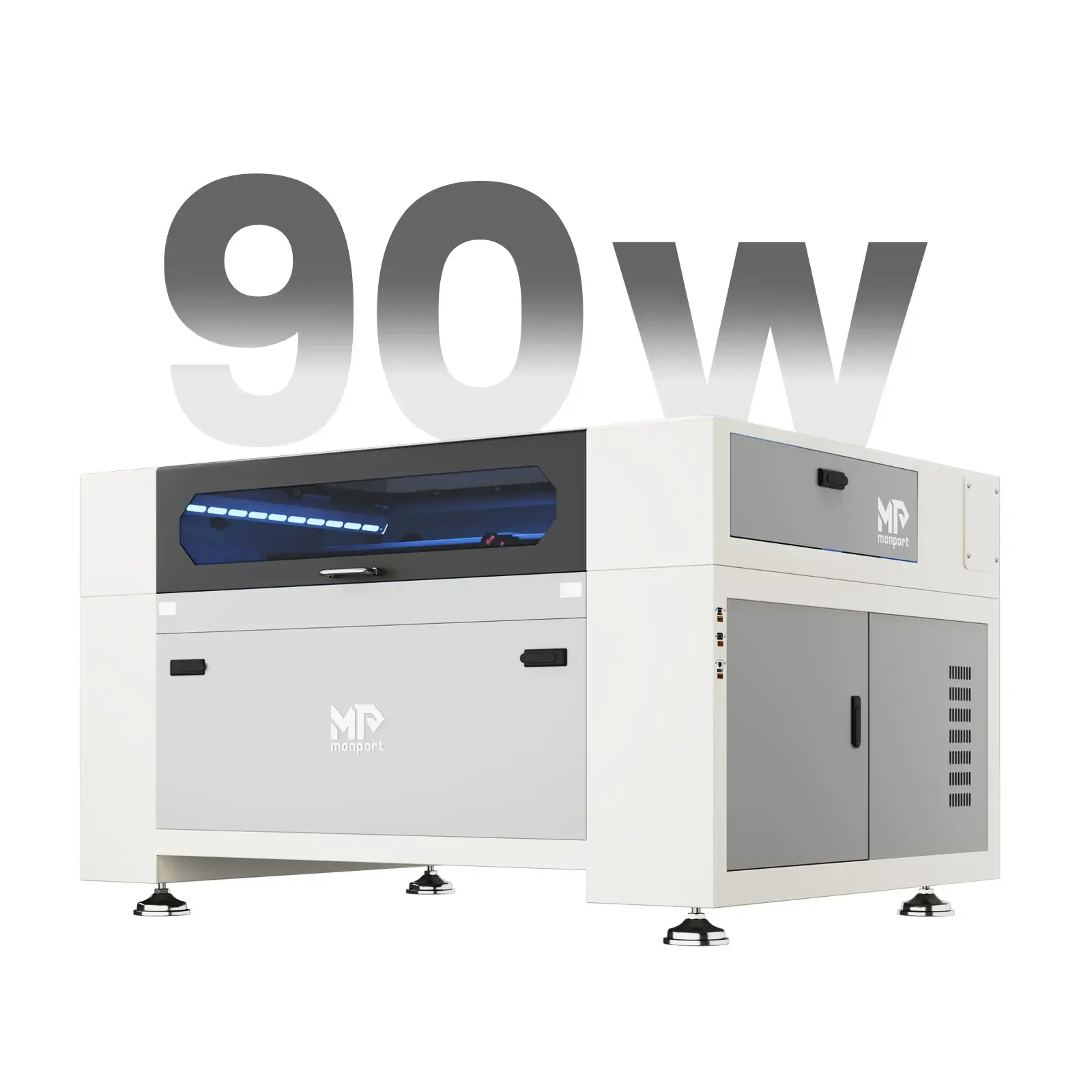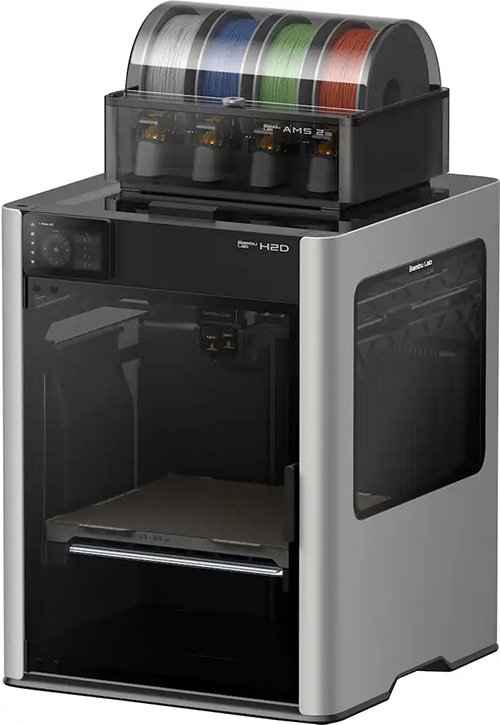

The Bambu Lab H2D points toward a bigger trend: machines that try to turn one desktop footprint into a small personal manufacturing hub.
That can be useful for prototyping, product development, and low-volume custom work, but it does not automatically replace dedicated lasers, cutters, or production printers for every maker business.
Important note: This is not a hands-on review. Laticy has not tested the Bambu Lab H2D. This article uses Bambu Lab’s official H2D page as source context, then looks at the business-fit question from a small-shop operator perspective.
The appeal of an all-in-one maker machine is easy to understand.
Instead of buying a 3D printer, then a laser engraver, then a vinyl cutter or plotting machine, you buy one system that promises to handle several jobs from the same footprint.
For a home shop, spare bedroom, garage corner, or small studio, that sounds almost perfect. Less space. Fewer machines to learn. One ecosystem. One purchase decision instead of three.
That is why the Bambu Lab H2D is interesting beyond the usual 3D printer crowd. Bambu Lab positions it as an “All-In-One Personal Manufacturing Hub,” with 3D printing, laser engraving and cutting, and digital cutting and plotting in one platform. The H2D page also leans heavily on workflow features like camera-assisted alignment, automatic calibration, dual-nozzle printing, filament management, safety systems, and optional accessories.
Whether that becomes the normal direction for desktop manufacturing is still an open question, but the trend itself matters. Bambu is not just selling a larger 3D printer here. It is selling the idea that a small studio can use one ecosystem to prototype, decorate, cut, mark, and finish more kinds of products.
For a maker business, though, the question is not whether the idea is exciting.
The question is more practical:
Can a hybrid machine help you make products customers will pay for, at a pace and quality level that supports the business?
Sometimes the answer is yes. Sometimes separate machines are still the better path.
If you are still deciding what type of machine should come first in your shop, this broader guide is worth reading alongside this article:
What Machine Should You Buy First for a Side Hustle?
And if you want the bigger picture of how 3D printing, laser work, CNC, UV printing, and other small-shop tools fit together, start with the digital manufacturing guide here:
The Short Version
An all-in-one machine like the Bambu Lab H2D can make sense for a maker business when you need flexibility more than maximum throughput.
It is especially appealing for prototyping, testing product ideas, making small batches, creating jigs and fixtures, personalizing products, and learning which manufacturing process actually fits your market.
It is less likely to replace dedicated machines if your business already depends on production volume, larger-format work, heavy laser cutting, messy materials, continuous engraving jobs, or a workflow where multiple machines need to run at the same time.
Think of a hybrid machine as a strong product-development and small-batch tool first.
It may become part of a business. It may even be enough for a very specific small business. But it should not be treated as a magic replacement for a dedicated laser shop, print farm, sign shop, or CNC production setup.
The right question is not, “Can it do all of these things?”
The better question is, “Which jobs would I actually sell, and does one shared machine make those jobs easier or slower?”
What the Bambu Lab H2D Represents
The H2D matters because it shows where desktop manufacturing is heading.
For years, small shops tended to buy separate tools by category. A 3D printer made plastic parts. A diode or CO2 laser handled engraving and cutting. A vinyl cutter handled decals, stencils, paper goods, and some packaging tasks.
Each machine had its own strengths, software habits, safety requirements, and workspace needs.
A hybrid machine tries to pull some of that into one environment.
In Bambu Lab’s official positioning, the H2D is not just a bigger or newer 3D printer. It is presented as a multi-function machine for personal manufacturing, with 3D printing, laser engraving and cutting, and digital cutting and plotting workflows.
The exact configuration matters, because not every buyer will choose every module, and not every module will be equally useful for business work.
The official page lists 10W and 40W 455nm laser options, digital cutting, pen drawing, camera-assisted spatial alignment, print-then-cut workflows, auto arrangement for using material efficiently, and automatic calibration for laser focus and material measurement.
It also highlights 3D printing features such as dual nozzles, multi-material printing, support-material workflows, a build volume listed up to 350mm x 320mm x 320mm, a 350°C hotend, 65°C active chamber heating, high-flow hotend options, second-generation AMS systems, and a network of cameras and sensors for monitoring and calibration.
That is a serious feature list.
But for a business, the feature list is not the same as a production plan.
That distinction is important.
A machine that can accept multiple tools is not the same thing as a full replacement for every dedicated machine in those categories. A compact laser module inside a hybrid system is not the same business tool as a dedicated CO2 laser with a larger bed and stronger material-handling workflow.
A cutting and plotting function can be useful, but it does not automatically replace a dedicated vinyl cutter if decals, labels, or apparel decoration are your main revenue source.
Still, the concept is useful. A small shop can use one machine to move from idea to prototype to finished sample faster.
That has real value, especially when the shop is still learning which products customers actually want.
Where a Hybrid Machine Helps a Maker Business
The strongest case for an all-in-one machine is flexibility during the messy early stage of a business.
Most maker businesses do not start with perfect clarity.
You may think you want to sell 3D printed desk accessories, then discover that customers respond more to personalized packaging pieces. You may plan on selling printed organizers, then realize local businesses want branded display signs. You may start with Etsy products, then get better margins from small-batch corporate gifts.
A hybrid machine gives you room to test those directions without committing to a separate tool for every idea.
For example, imagine a small shop developing a desk organizer line.
The 3D printer can make the base, brackets, inserts, or modular parts. The laser function might mark a logo, personalize a nameplate, or test packaging elements. The cutting and plotting function might help with labels, paper templates, sticker masks, or simple branded inserts.
Bambu’s print-then-cut positioning is especially relevant here. The idea is not just that the machine can cut, but that camera alignment can help turn printed graphics into cleaner cut pieces.
That kind of workflow is easy to underestimate.
A small business does not always need a machine to produce thousands of identical units. Sometimes it needs a machine that can get from rough idea to sellable sample quickly enough to test the offer.
It can also be useful for fixtures and jigs.
This is an underrated business use. A 3D printer can make holders, alignment guides, test parts, and assembly aids. If you are engraving, cutting, labeling, packing, or assembling products, those little shop-made tools can save more time than another flashy product idea.
A hybrid setup can also help a small shop create better samples.
Instead of describing an idea to a customer, you can make a physical prototype: a printed part, a marked surface, a cut label, a packaging mockup, or a mixed-material sample.
Features like top-view alignment, auto arrangement on leftover material, and automatic laser focus and material measurement are not just tech demos if they reduce the friction of making those samples.
That can be valuable for local business work, event products, small signs, custom gifts, and product-development services.
This is where the H2D-style concept feels strongest. Not as a machine that replaces every tool forever, but as a compact way to explore several product directions before you know which one deserves dedicated equipment.
Where Separate Machines Are Smarter
Separate machines usually win when the work becomes repetitive, specialized, or production-heavy.
If your shop is mainly a laser business, a dedicated laser is still hard to replace.
A laser-focused workflow involves more than the beam. It involves bed size, material support, air assist, exhaust, fire safety, pass-through options, jigs, speed, repeatability, cleanup, and the ability to keep cutting or engraving while other work happens elsewhere.
Bambu lists 10W and 40W 455nm laser options and claims plywood cutting capability up to 5mm with the 10W laser and 15mm with the 40W laser, which is meaningful for a desktop hybrid machine.
But that still does not make it the same business tool as a dedicated CO2 laser if your main product line depends on larger sheets, faster batch cutting, acrylic cutting, pass-through work, or a shop layout built around laser production.
If you are new to laser work, start with the basics here:
Beginner’s Guide to Laser Machines
The same logic applies to 3D printing.
A hybrid machine may be a very capable printer, but a business that relies on steady print output often needs more than one printer. Print farms exist because one machine can only run one job at a time.
If a laser job, plotting job, or maintenance task takes the machine out of printing mode, that affects your output.
For a hobbyist, that may be fine.
For a business with orders due Friday, it matters.
Dedicated cutters can also be better if your product line depends on decals, stickers, heat-transfer vinyl, paper goods, labels, or packaging pieces.
A separate cutter can stay loaded, set up, and ready for that workflow while your printer keeps printing.
The convenience of one ecosystem has to be weighed against the bottleneck of one shared machine.
That is the biggest hidden tradeoff with all-in-one equipment: every function shares the same body, schedule, maintenance window, and workspace.
If one machine is doing everything, one machine can also block everything.
The Business Bottleneck Problem
A hybrid machine can make a small shop feel more capable, but it can also create a scheduling problem.
Say you sell a product that uses a 3D printed part, a laser-marked badge, and a cut paper insert.
On paper, an all-in-one machine seems perfect because it can help with every step.
In practice, the steps happen one after another. You print first. Then you change setup or module. Then you run the marking step. Then you handle the cutting or plotting step. Then you assemble.
That may be fine for five orders.
It may become painful at fifty.
Separate machines let work overlap. A printer can run while a laser cuts parts. A cutter can produce labels while the printer finishes a batch. A dedicated laser can stay vented and ready instead of being part of a shared workflow.
That parallel production is one of the reasons small businesses eventually outgrow single-machine setups.
This does not mean an all-in-one machine is a bad buy.
It just means you should be honest about the stage of your business.
If you are still testing products, one flexible machine can reduce risk.
If you already know the product sells and need to produce it every week, the shared-machine bottleneck may cost more than the upfront savings.
Product Types That Fit an H2D-Style Machine
A hybrid machine makes the most sense when the products are small, customized, prototype-heavy, or made in short batches.
It also helps when the value comes from design and personalization rather than pure production speed.
Good-fit product directions might include:
- Custom desk accessories with names, logos, or branded inserts
- Small product prototypes for local businesses or inventors
- Personalized 3D printed gifts with marked or cut packaging elements
- Jigs, fixtures, templates, and assembly aids for your own shop
- Small-batch event products, table markers, tags, favors, or signage mockups
- Packaging prototypes, display samples, and branded presentation pieces
- Mixed-material samples used to sell a larger custom job
The common thread is flexibility.
These are not necessarily products you want to mass-produce on one machine forever. They are products where being able to move quickly from idea to sample is valuable.
A less ideal fit would be a business built around large plywood signs, high-volume engraving, full-time laser cutting, dozens of simultaneous print jobs, or decal production where a dedicated cutter would be faster and simpler.
Those businesses can still use a hybrid machine, but probably not as the main production tool.
For the bigger picture of how different tools fit together, this guide is a good internal link target:
Safety and Materials Still Matter
One risk with hybrid machines is that they can make different processes feel too easy to combine.
3D printing, laser engraving, laser cutting, and plotting or cutting are not the same type of work.
They have different material rules, fumes, fire risks, residue, debris, consumables, and cleanup habits. A machine that supports multiple workflows still needs the operator to understand each process.
Laser work especially deserves respect.
Material choice matters. Ventilation matters. Fire monitoring matters. Eye safety and enclosure behavior matter.
Some plastics should not be lasered. Some materials produce unpleasant or unsafe fumes. Some surfaces mark nicely but are not appropriate for products that will be handled, washed, heated, or used around food.
Bambu clearly knows safety is part of the H2D story.
The official page calls out laser safety windows, door sensors on the Laser Edition, emergency stop and buzzer features, a flame-retardant chamber, flame sensor, adaptive airflow, an optional air purifier, and an optional CO2 auto fire-extinguishing system.
Those are useful signals, but they should not make a buyer casual about the process.
Safety features reduce risk. They do not remove the operator’s responsibility to use correct materials, ventilation, supervision, and workspace habits.
The business issue is simple:
A customer does not care that your machine can technically do something. They care whether the finished product is safe, durable, clean, and worth the price.
That means a hybrid-machine owner still has to test materials, document settings, build repeatable workflows, and avoid overselling durability.
Do not promise dishwasher safety, outdoor life, food safety, child safety, or commercial-grade performance unless you have actually tested the material and use case.
This is also where affiliate purchases can be useful without becoming gimmicky.
Proper ventilation, fire safety gear, filters, approved materials, spare build plates, adhesives, blades, engraving-safe blanks, storage, and measurement tools often matter more than another decorative add-on.
The Pricing Question
A hybrid machine can make a product feel cheaper to start because one purchase covers several possible workflows.
But product pricing still has to include the real labor.
If a product requires a print, then a module change, then a marking step, then a cutting step, then assembly and packaging, it may be more expensive to produce than it looks.
The machine cost is only one part of the equation.
The bigger cost may be operator time, failed tests, setup changes, material waste, finishing, and customer communication.
Before building a business around an all-in-one workflow, price three real products.
Not vague categories like “custom gifts” or “small signs.”
Pick actual items. A personalized desk nameplate. A branded product-display sample. A 3D printed organizer with a laser-marked logo plate.
Write down the material cost, estimated machine time, setup time, labor, packaging, spoilage, fees, and margin.
Then run the numbers through the Product Pricing Calculator:
If the product only makes sense when every step goes perfectly, it is not ready.
If the margin still looks good after adding setup changes, failed parts, and customer revision time, the machine may support a real offer.
When the H2D-Style Approach Makes Sense
An all-in-one machine is easier to justify when your business is still choosing its lane.
It can be a smart first serious machine for someone who wants to explore 3D printed products but also needs light personalization, packaging experiments, or occasional cutting and plotting.
It can be useful for a product designer who wants prototypes and branded samples.
It can work for a local custom shop that sells small personalized items and values flexibility over raw speed.
The H2D can also make sense in a space-limited shop where separate machines are not realistic yet.
If your choice is one hybrid machine now or no laser or cutter capability at all, the hybrid route may open useful doors.
The official feature set supports that use case better than a generic combo-machine pitch would.
Dual-nozzle printing, AMS-based material handling, active chamber heating, camera-assisted checks, automatic calibration, and laser and cutting alignment tools all point toward a machine designed to reduce setup friction.
That matters when the buyer is not a production shop yet and needs help moving between experiments.
The best buyer is not someone who says, “This machine can do everything.”
The best buyer is someone who says, “I have three specific workflows where this machine will save space, reduce early risk, and help me test products before I buy dedicated equipment.”
That mindset keeps the purchase grounded.
When to Buy Separate Machines Instead
Buy separate machines if you already know the core business.
If you are building a laser engraving business, start with the best laser setup you can justify.
If you are building a 3D printing farm, buy for print reliability, capacity, materials, and redundancy.
If you are building a sticker, decal, or apparel decoration workflow, a dedicated cutter may be the better production tool.
If you need larger work areas, stronger cutting capability, higher throughput, or parallel production, dedicated equipment becomes more attractive.
Separate machines also make sense when downtime would stop your whole shop.
If one hybrid machine fails, every workflow attached to it fails. With separate tools, at least part of the business can keep moving.
There is also a learning advantage.
Dedicated tools force you to understand the process deeply. That is not always fun, but it matters.
A real laser business needs laser knowledge. A real print business needs print workflow knowledge. A real cutting business needs material, blade, mat, and software discipline.
A hybrid system can simplify the front end, but it does not remove the need for operator judgment.
A Practical Buying Framework
Before buying an H2D-style hybrid machine for a maker business, answer these questions in writing:
- What are the first three products I would sell with it?
- Which function makes money first: 3D printing, laser work, cutting and plotting, or prototyping?
- Would the machine be a production tool, a sample-making tool, or both?
- How often would one job block another job?
- Do I have safe ventilation and material storage for the laser workflow?
- Can I price products high enough to cover setup changes and failed tests?
- If one product starts selling well, would I eventually need a dedicated machine anyway?
The answers matter more than the spec sheet.
A machine can be impressive and still be wrong for your workflow.
It can also be imperfect and still be a great fit if it helps you test products, win customers, and learn what to buy next.
Final Takeaway
An all-in-one machine like the Bambu Lab H2D can be a good fit for a maker business, but mostly when flexibility is the priority.
It is strongest as a compact product-development tool, sample maker, personalization station, and early-stage business machine.
It can help you test product ideas without buying every dedicated tool upfront. It can also support a small business built around short-run custom work, prototypes, fixtures, and mixed-material samples.
It is weaker as a full replacement for dedicated equipment once the business becomes production-heavy.
If your income depends on high-volume laser work, steady print output, large-format jobs, or parallel workflows, separate machines will usually be cleaner and more scalable.
The H2D-style trend is worth watching because it lowers the barrier to hybrid manufacturing.
But the business decision is still the same as always:
Choose the machine that supports the product you can sell profitably, not the machine with the longest list of things it can technically do.