
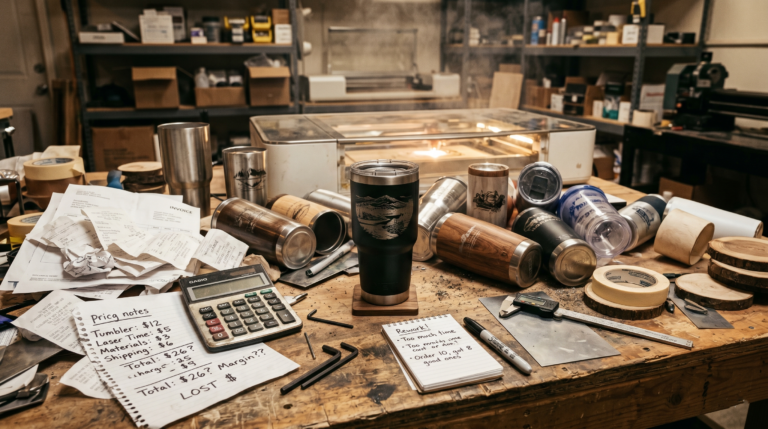
A lot of laser businesses don’t lose money because they picked the wrong machine.
They lose money because they price custom work like a hobby.
That usually looks like charging based on what the blank cost, guessing at a number that “feels fair,” or copying another seller’s price without understanding that seller’s workflow, overhead, speed, or market.
The result is predictable. The order comes in, the customer is happy, and the shop owner slowly realizes the job took more time, more setup, more back-and-forth, and more risk than the price ever covered.
If you want laser engraving to work like a real business, pricing has to carry more than the material cost. It has to cover labor, design time, machine time, overhead, waste, failed attempts, packaging, and enough margin to make the job worth doing in the first place.
That’s what this guide is for.
Instead of vague advice like “charge what you’re worth,” this article gives you a practical pricing framework you can actually use. Think of it as a laser engraving pricing calculator in article form. You can plug your own numbers into it, adjust it for your shop, and stop guessing every time a custom request lands in your inbox.
If you’re still earlier in the process and trying to decide whether laser work is even the right business lane, read What Machine Should You Buy First for a Side Hustle?. If you’re building the broader operation around your shop, Laticy’s Ultimate Guide to Starting and Growing a Digital Manufacturing Business is the better big-picture companion.
The short version
If you want the fast answer, a profitable custom laser engraving price usually needs to cover:
- blank or substrate cost
- masking, finish, paint fill, packaging, and other consumables
- design or file-prep time
- setup time
- machine run time
- hands-on finishing time
- overhead
- waste and remake risk
- profit margin
A simple formula looks like this:
Final price = materials + labor + machine/overhead allocation + risk buffer + profit
That’s the whole game.
The details matter, though, because most underpricing happens in the parts people forget to count.
Why laser engraving businesses undercharge so often
Laser work is especially easy to underprice because the visible material cost can look low.
A wood blank may cost only a few dollars.
A tumbler may not seem expensive.
A slate coaster set may look simple.
But custom work is rarely just the blank.
The customer is paying for:
- setup
- design interpretation
- alignment
- testing
- skill
- workflow interruptions
- finishing
- communication
- the fact that you’re taking the risk if the job goes wrong
That matters even more for one-off jobs.
Repeatable products can often be priced more aggressively because the setup gets spread across multiple units. A one-off custom job doesn’t have that advantage. If you treat one custom piece like a repeatable catalog item, the price will usually be too low.
This is one reason the difference between a side hustle and a stable small shop isn’t just sales volume. It’s operational discipline. Laticy’s Home Based Business Tips 2026 gets at the same broader point from the business side.
Start with two different pricing modes
One of the cleanest ways to stop pricing chaos is to separate your work into two categories:
1. Repeatable products
These are products you make regularly with only light variation.
Examples:
- ornaments with a name change
- standard signs with a template
- batch coasters
- established wedding items
- a known tumbler design with small personalization
These are easier to price because:
- your material usage is predictable
- your setup time is lower
- your process is more repeatable
- your waste rate is easier to estimate
2. True custom work
This is where pricing gets messy.
Examples:
- new logos that need cleanup
- customer-provided art that isn’t production-ready
- unusual blanks
- one-off memorial gifts
- mixed-material requests
- jobs with uncertain placement, finish, or testing requirements
These should usually cost more than standard products because they create more friction and more risk.
A lot of shops price both categories the same way, then wonder why custom orders feel busy but not profitable.
They aren’t the same thing operationally, so they shouldn’t be priced the same way.
The practical laser engraving pricing calculator
Here’s the framework.
You don’t need advanced software to use it. A spreadsheet, the live Product Pricing Calculator, or even a handwritten worksheet can do the job if the math is honest.
Step 1: Calculate direct material cost
Start with the obvious pieces:
- blank or product base
- masking material
- paint, stain, oil, or fill material
- tape, jigs, transfer material, or fixtures consumed on the job
- packaging
- shipping materials if included in the quoted price
Don’t round this down just because the item looks small.
A tumbler job may include:
- tumbler blank
- masking or prep supplies
- cleaning materials
- gift box or protective packaging
A wood sign may include:
- wood blank
- masking
- paint or stain
- hanging hardware
- protective wrap
Use your real replacement cost, not the best-case cost you hope to get later.
Step 2: Add labor, not just laser time
This is where most people break the math.
Labor isn’t only the minutes the beam is firing.
It also includes:
- customer messaging
- design setup
- resizing and cleanup
- proof revisions
- fixture setup
- positioning and alignment
- unloading and inspection
- paint fill, stain, sealing, or cleanup
- packaging
If you only charge for machine time, you’ll underprice almost every custom order.
A practical labor formula looks like this:
Labor cost = total hands-on minutes / 60 x hourly labor rate
Your hourly labor rate needs to reflect what your time is worth in a real business, not just what feels polite.
Many small shops get into trouble because they mentally use a rate that’s closer to casual gig work than skilled production work.
If your process requires real judgment, customization, setup discipline, and customer communication, the rate should reflect that.
Step 3: Add design and file-prep charges when the job deserves it
Not every job needs a separate design fee.
Some do.
You should strongly consider a design or setup charge when:
- the customer provides low-quality artwork
- the job needs tracing or cleanup
- text layout needs several revisions
- you’re building a custom template from scratch
- the file has to be adapted to a curved or unusual object
- you need test passes to get the look right
This can be priced one of two ways:
- folded into your labor estimate
- shown as a separate design/setup fee
Either approach works as long as you actually charge for it.
The mistake is doing 30 to 60 minutes of art cleanup and treating it like free customer service.
Step 4: Account for machine time and shop overhead
Laser owners often underestimate how much business cost sits behind every job.
Even when a machine isn’t expensive compared with industrial equipment, it still creates real cost through:
- maintenance
- lens or mirror replacement
- ventilation or filtration
- electricity
- cooling
- software subscriptions
- wear on accessories
- shop rent or workspace allocation
- insurance
- admin tools
That doesn’t mean you need a perfect engineering formula for each order.
It does mean you need some overhead recovery built into your pricing.
A simple approach is to assign either:
- a flat overhead amount per order, or
- an hourly machine/shop rate added to production time
For example, some shops use a base shop rate that covers machine availability, utilities, and general operating cost even before profit is added.
The exact number will vary by shop. What matters is that you stop pretending the machine runs for free.
A simple formula you can actually use
If you want a working baseline, start here:
Quote = materials + labor + overhead + risk buffer + profit margin
Or in more detail:
Quote = direct materials + design/setup labor + production labor + overhead allocation + remake buffer
Then review the total and apply your margin target.
For small custom work, another simple method is:
Minimum profitable price = total cost x markup
That can work, but only if your “total cost” includes more than the blank.
If your total cost is incomplete, the markup doesn’t save you.
Example 1: Personalized tumbler order
Let’s say a customer wants one custom tumbler with a name and a small logo.
Estimated costs
- tumbler blank: $9
- masking and consumables: $1
- packaging: $2
- customer communication and proofing: 10 minutes
- setup and alignment: 10 minutes
- machine run and handling: 10 minutes
- cleanup and packing: 10 minutes
That’s 40 minutes of total labor.
If your labor rate is $30 per hour:
Labor = 40 / 60 x 30 = $20
Now add a modest overhead and risk allocation:
- overhead allocation: $4
- remake/risk buffer: $4
Your raw cost basis is:
$9 + $1 + $2 + $20 + $4 + $4 = $40
That means a $25 or $30 quote is probably weak unless you’ve a very specific reason for it.
A lot of shops would have priced that tumbler based mostly on the blank and the idea that “it only takes a few minutes on the laser.” That’s how profitable-looking work turns into underpaid work.
Example 2: Custom wood sign with light design work
Now imagine a one-off wood sign for a customer who sends rough wording and wants you to make it look good.
Estimated costs
- wood blank: $12
- masking, stain, and finish supplies: $4
- hanging hardware and packaging: $4
- design/layout and revisions: 30 minutes
- material prep and setup: 15 minutes
- laser run and handling: 15 minutes
- finishing and packing: 20 minutes
That’s 80 minutes of labor.
At $30 per hour:
Labor = 80 / 60 x 30 = $40
Now add:
- overhead allocation: $6
- risk/remake buffer: $6
Your raw cost basis becomes:
$12 + $4 + $4 + $40 + $6 + $6 = $72
At that point, a quote in the $75 range may technically cover the basics, but it leaves almost no room for surprise, margin, or customer-service friction.
That’s why custom signs often need to be priced much higher than beginners expect.
How to handle overhead without making the formula impossible
Some shop owners get stuck here because they think overhead has to be exact.
It doesn’t.
It just has to be real enough to stop lying to you.
A practical way to estimate overhead is to total your recurring monthly business costs, then divide them by your realistic monthly order count or production hours.
That could include:
- software
- website costs
- bookkeeping
- utilities
- rent or workspace allocation
- maintenance
- filters or ventilation supplies
- admin subscriptions
- packaging stock
- insurance
If you don’t track these cleanly yet, it’s worth tightening that system. Laticy already has a relevant guide on Wave Accounting for Small Business, and if you want the software path directly, Laticy’s existing Wave affiliate route is one of the few genuinely relevant business-tool links for this topic. The Business Tools page is also a good place to review the broader back-office side of the shop.
The exact software isn’t the point. The point is that weak bookkeeping usually leads to weak pricing because you’re guessing at costs instead of seeing them.
The pricing mistakes that hurt laser shops fastest
A lot of pricing problems come from the same predictable mistakes.
Charging based on material cost only
This is probably the biggest one.
If the blank costs $8, that doesn’t mean the job should cost $16 or $20.
The work isn’t just the blank.
Forgetting customer communication time
Custom work often includes:
- answering questions
- clarifying spelling
- collecting assets
- sending proofs
- handling revisions
That time is real labor, even if it happens in short bursts.
Undercharging for one-off jobs
One unit is usually the worst place to be “nice” on price.
One-off custom work has the least efficiency and the highest chance of friction.
Treating machine time as the main cost
In many custom jobs, the machine isn’t the dominant cost.
The dominant cost is often setup, design, finishing, and interruption.
Ignoring remake risk
If the blank is expensive, difficult to source, curved, coated, sentimental, or customer-supplied, the risk is higher.
The quote should reflect that.
Copying competitors blindly
Another shop’s price doesn’t tell you:
- their labor speed
- their overhead
- whether they’re profitable
- whether they’re undercharging too
- whether they use templates you don’t have yet
Competitive awareness matters. Copying without context doesn’t.
When to charge a rush fee, setup fee, or minimum order price
You don’t need to bolt a dozen random fees onto every order.
You do need a few protective rules.
Minimum order price
A minimum order price helps prevent tiny custom jobs from eating your day.
This matters because even a very small item can require:
- messages
- setup
- proofing
- invoicing
- packaging
If your minimum profitable custom order is $35 or $50, say so.
That isn’t greed. That’s protecting the shop from death by tiny jobs.
Setup fee
A setup fee makes sense when the work requires:
- fresh file setup
- unusual jigging
- custom art prep
- non-repeatable positioning
- special handling
Rush fee
A rush fee makes sense when the customer’s deadline forces:
- schedule disruption
- overtime
- same-day proofing
- lost ability to batch similar jobs
Rush work should cost more because it usually creates inefficiency elsewhere in the business.
How quantity changes the math
Pricing one item and pricing 25 items aren’t the same exercise.
In quantity, you can often spread:
- design time
- setup time
- jig creation
- testing
- communication
across the whole order.
That usually lowers the per-unit price while still protecting profit.
A basic way to think about it:
- calculate fixed job costs
- calculate variable per-unit costs
- spread the fixed job costs across the order quantity
- add your margin
That’s why a one-off custom coaster and a 50-piece branded coaster order shouldn’t use the same pricing logic.
Batch work rewards efficiency. One-off work rewards careful quoting.
A simple quoting framework for real shops
If you want something practical enough to use on the next inquiry, this is a solid starting point:
- List all direct materials.
- Estimate total hands-on time, not just laser time.
- Add design or proofing time.
- Add a flat overhead amount or shop-rate allocation.
- Add a risk buffer if the job is fragile, unusual, or customer-supplied.
- Check whether the total still leaves room for real profit.
- Compare the result against your minimum order threshold.
If the number feels “too high,” don’t automatically cut the price.
Ask a better question: is the job actually worth doing at a lower number?
That’s a more disciplined question than “what do I think the customer wants to hear?”
How to know if your pricing is still too low
Even after using a formula, some shops still underprice because their assumptions stay too generous.
Warning signs include:
- you’re busy but cash is thin
- custom jobs feel annoying instead of rewarding
- you dread one-off inquiries
- you constantly make exceptions
- rush orders keep breaking your week
- you’re selling plenty but not building margin
- you can’t comfortably replace tools, materials, or failed blanks from operating cash
If that’s happening, the pricing issue is usually not theoretical anymore.
It’s operational.
The bigger goal isn’t perfect math
You don’t need a flawless calculator to price custom laser work better.
You need a repeatable system that makes hidden costs visible.
That system should help you:
- quote faster
- protect your time
- filter weak jobs
- price one-offs honestly
- identify which products are actually worth keeping
- build a business that gets stronger as orders increase instead of more exhausting
That’s the real point.
A pricing calculator isn’t just a worksheet. It’s a discipline tool.
If it helps you stop undercharging, spot weak product categories, and build more margin into custom work, it’s doing exactly what it should.
Final thought
A laser engraving business becomes healthier when pricing stops being emotional.
Not every customer is the right customer.
Not every custom request deserves a discount.
Not every order that feels flattering is worth the operational drag.
The shops that last usually learn to price around reality, not optimism.
That means counting all the work, charging for risk, protecting margin, and recognizing that custom work is only good business when the price actually supports the business behind it.
[…] your pricing process for custom work is still informal, How to Price Laser Engraving Custom Work Without Undercharging is a good companion read. The invisible work around an order often matters even more after fees […]
[…] ask each vendor to show their math from per-minute machine cost to your final per-piece price. A practical framework separates repeatable templated work from true custom jobs, and a shop that understands that distinction usually prices more fairly across the […]
[…] you’re pricing custom work, Laticy’s guide on laser engraving custom work pricing is the right companion. Premium-looking work still needs pricing […]
[…] Laser Engraving Custom Work Pricing Guide […]
[…] vector file, we send a proof with one minor revision included before production starts. A reliable custom quote accounts for materials, design and setup time, machine time, finishing and packaging, and overhead, […]
[…] guide to pricing laser engraving custom work provides context for setup, design time, revisions, machine time, materials, and overhead. This […]