
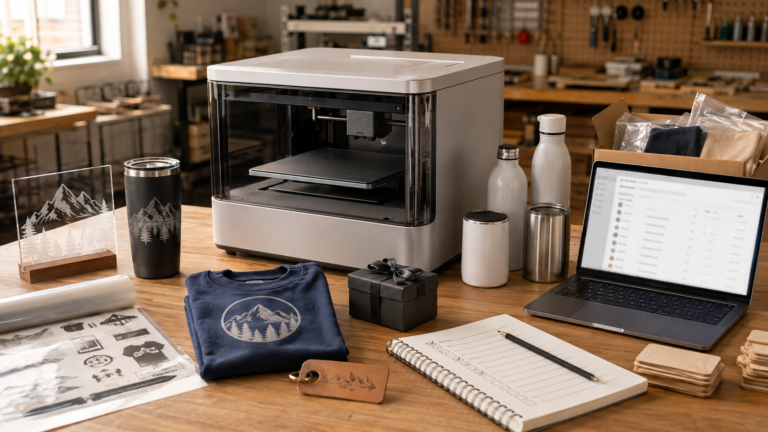
A machine that promises to do more always gets attention.
That’s especially true when the pitch is aimed at creators, small shops, and product sellers who are already juggling too many tools, materials, files, orders, and ideas. If one desktop system can help with UV printing, fabric printing, UV DTF, and related product workflows, it’s easy to see why the xTool O1 Omni would make people stop and look.
But for a maker business, the useful question isn’t whether the launch sounds impressive.
The useful question is this:
Would it remove real workflow friction in your shop, or would it turn one machine into the new bottleneck?
That’s the line small shops have to stay honest about. More capability on paper doesn’t automatically mean better output, better margins, faster production, or easier order management. Sometimes a broader machine gives a shop room to test more products with less equipment. Sometimes it creates a crowded queue where samples, customer orders, reprints, experiments, and maintenance all compete for the same tool.
The xTool O1 Omni is worth paying attention to because it shows where desktop digital fabrication is heading. It’s part of a larger push toward multi-process machines for creators. But that doesn’t mean every maker business should treat it like a shortcut.
Here’s the practical way to think about it.
What the xTool O1 Omni is actually promising
Official xTool materials position the O1 Omni as a 4-in-1 style printer platform built around multiple print workflows, including UV printing, fabric printing, and UV DTF. xTool’s support documentation also shows that the machine comes in different model configurations, including single UV printhead, dual-UV printhead, and UV and DT printhead versions.
That matters.
The phrase “4-in-1” can make a product sound simple, but business owners need to look past the headline and confirm exactly which version does what. A shop shouldn’t assume every model includes the same workflow, the same ink setup, the same accessory path, or the same business use case.
Early buyer guides and third-party coverage are already putting attention on that issue: edition choice matters. Some coverage also warns that buyers shouldn’t assume they can fix the wrong configuration later with an easy upgrade path. That’s the type of claim a buyer should verify directly with xTool before purchase, but the broader lesson is solid: the model decision isn’t a small detail.
If your planned products depend on fabric printing, hard-goods UV printing, UV DTF transfers, curved objects, or specific accessory workflows, you need to confirm the exact machine package before building a business plan around it.
That isn’t a reason to dismiss the O1 Omni. It’s a reason to evaluate it like equipment, not like a launch video.
If you want to check xTool’s current product lineup while comparing options, use Laticy’s xTool link here: check current xTool options.
Why a small maker shop might care
The O1 Omni is interesting because a lot of small shops don’t fit neatly into one production lane anymore.
A seller might start with personalized acrylic signs, then get asked about branded packaging pieces. A craft-fair shop might sell ornaments, drinkware, apparel add-ons, and small desk goods. A local business supplier might need short-run promo items one week and custom event pieces the next.
That kind of shop doesn’t always need maximum production speed first. It may need flexibility first.
For the right business, a multi-surface platform can be appealing because it may help with:
- testing more product categories before committing to dedicated equipment
- producing short runs without building a full production line around one product
- offering personalization across hard goods, transfers, and fabric-related work
- keeping the physical equipment footprint smaller
- reducing the number of separate machine ecosystems a beginner has to learn
- creating samples for local clients, markets, and small ecommerce collections
That’s the best argument for a machine like this.
It isn’t “this replaces every other tool.”
It’s “this might help one shop validate more product directions with less setup complexity.”
That distinction matters because small businesses usually lose money when they confuse possibility with product strategy. A machine that can technically support several workflows is only valuable if those workflows connect to sellable products, realistic pricing, reliable output, and a schedule the shop can actually operate.
The shops that may benefit most
The O1 Omni looks most interesting for small shops that win through variety, personalization, and short-run flexibility rather than high-volume production in one narrow category.
A custom gift shop might care because it wants to test drinkware, small signs, acrylic pieces, apparel accents, and event add-ons without building a separate setup for every idea.
A local personalization business might care because customers don’t always ask for one material. They ask for a result: a branded gift, a team item, an event piece, a memorial item, a thank-you product, or something with a name, logo, date, or artwork on it.
A new maker business might care because it’s still figuring out which products customers will actually buy. In that stage, the ability to test several surfaces can be useful, as long as the owner stays disciplined and doesn’t turn every possible workflow into a half-finished product line.
A space-constrained shop might care because one machine footprint can be easier to justify than several separate machines, especially before the business knows which lane deserves deeper investment.
Those are real use cases.
The machine makes less sense if the business already knows it needs deep specialization. If you’re mostly doing high-volume apparel transfers, a dedicated apparel workflow may still be cleaner. If you’re mostly doing large signs, a dedicated wide-format or laser/CNC workflow may still make more sense. If you’re mostly doing flat acrylic pieces all day, a specialized UV setup may fit better than a broader platform with extra capabilities you rarely use.
The right fit depends on what you actually sell, not what the machine can theoretically touch.
Where dedicated machines still win
Versatility is useful, but it isn’t the same thing as production strength.
Dedicated machines still win when the work is repetitive, specialized, time-sensitive, or high volume. A machine that does one job very well can be easier to schedule, easier to maintain, easier to train around, and easier to replace when something goes wrong.
That’s the problem with treating all-in-one machines like automatic business upgrades. The more jobs one machine handles, the more parts of your business may depend on that one machine being available.
If you use one system for samples, customer orders, product tests, short runs, reprints, and rush jobs, then every job enters the same queue. If the machine needs maintenance, several parts of the business pause at once. If the workflow requires setup changes between product types, the “one machine” advantage can start turning into changeover time.
This is the same practical issue that comes up with other hybrid or multi-function equipment. Laticy has covered that broader tradeoff before in the Bambu Lab H2D maker-business analysis: one machine can be useful for testing and flexibility, but it can also become a single point of delay if too many workflows depend on it.
For a small shop, the question isn’t just “can this machine do several things?”
The better question is:
Which part of my current workflow would this actually improve?
If you can’t answer that clearly, the purchase may be more about excitement than operations.
The biggest buyer trap: assuming “4-in-1” means one universal setup
This is the section buyers shouldn’t skip.
The O1 Omni conversation isn’t only about what the product line can do. It’s about which edition or configuration can do what your shop needs.
Official support information shows multiple model paths. Third-party buyer guides also focus heavily on the difference between single UV, dual UV, and UV plus DT/fabric configurations. That means the buying decision isn’t simply “buy the O1 Omni.” It’s “choose the version that matches the products you’re actually planning to sell.”
That’s where small shops can make expensive mistakes.
A seller might see the broader 4-in-1 pitch and assume the entry option supports the full business plan. Another seller might buy for one category, then later realize they actually needed another workflow. Someone else might plan around apparel, hard goods, transfers, and specialty effects without checking which version, accessories, consumables, and maintenance routines are required.
That isn’t a small technical detail. It affects the product menu.
Before buying, confirm:
- which exact model or edition you’re considering
- which workflows that model supports without extra assumptions
- which accessories are required for the products you want to make
- whether the workflow you care about is native, accessory-dependent, or not supported by that edition
- what consumables are needed for your actual product mix
- what maintenance looks like for the printheads, inks, tanks, cleaning cycle, and daily use
- what happens if one part of the system is down
- whether the model can be upgraded later, and what “upgrade” actually means
Don’t rely only on a product headline. Match the machine package to the product list.
What products could make sense?
The strongest-fit products are probably not vague “print anything” ideas. They’re specific, repeatable, and easy to explain to buyers.
For small shops, possible fit areas may include:
- personalized acrylic signs and desk pieces
- small branded business gifts
- custom event pieces
- drinkware or curved-object personalization, if the chosen setup supports it
- short-run labels, stickers, or transfers, depending on workflow
- small apparel add-ons, if the correct fabric/DT configuration fits the plan
- local business promotional items
- keepsakes, awards, and table gifts
- sample runs before committing to larger production
The common thread is controlled variety.
A shop that offers everything to everyone can get messy fast. A shop that uses a flexible machine to build a tight product menu may do better. For example, “custom event welcome gifts and branded table pieces” is clearer than “we can print on lots of things.” “Small-batch local business promo items” is clearer than “UV, DTF, DTG, and more.”
Customers don’t buy machine capabilities. They buy products they understand.
If the O1 Omni helps you turn a few product categories into a cleaner offer, that’s useful. If it only expands the number of unfinished ideas in the shop, it’s just another way to create clutter.
How it compares to laser-focused decisions
The O1 Omni shouldn’t be evaluated the same way as a laser engraver.
A laser buyer is usually thinking about marking, engraving, cutting, material compatibility, bed size, ventilation, speed, jigs, and the difference between diode, CO2, and fiber workflows. If that’s your main decision, start with a guide like Best Laser Engraver for Small Business in 2026 or the breakdown of CO2 vs fiber vs diode lasers for small business.
The O1 Omni is a different kind of question. It’s less about choosing the right laser category and more about whether a desktop print platform can support enough product variety to justify its place in the shop.
That also means it shouldn’t be treated as a repeat of the xTool F1/F2 Ultra decision. The xTool F1 vs F2 Ultra article focused on premium small-format personalization: jewelry tags, metal tags, event engraving, and branded add-ons.
The O1 Omni question is broader and messier. It’s about multi-surface print workflows, model configuration, product categories, and whether one machine can support the way a shop actually sells.
Those are different buying decisions.
Questions to answer before treating it like a business machine
Before a small shop buys into the O1 Omni pitch, it should answer the same questions it would ask before any serious equipment purchase.
Start here:
- What products would I sell in the first 30 days? If the answer is only “a lot of things,” the plan isn’t ready. Name the first product categories.
- Which exact model supports those products? Don’t assume the lowest-cost version, most popular version, or broad product headline covers your actual workflow.
- What consumables will those products use? Ink, maintenance tanks, film, adhesive, blanks, apparel, coatings, packaging, and waste all affect pricing.
- What is the bottleneck today? If the machine doesn’t solve a known bottleneck, it may just add another workflow to manage.
- What happens if the machine is unavailable? If one machine supports samples, customer orders, transfer work, and testing, downtime can affect the entire shop.
- What products still belong on dedicated tools? Some work is better handled by a dedicated laser, UV printer, cutter, heat press setup, or production system.
- Can I price the products before buying the machine? If you can’t estimate material cost, labor, spoilage, packaging, and selling price, the machine choice is premature. Laticy’s product pricing calculator can help pressure-test the numbers before you build a product line around a new tool.
- Is this the first machine I should buy, or a later expansion? If you’re still choosing your first serious production tool, compare it against the broader decision framework in What Machine Should You Buy First for a Side Hustle?.
Who should probably wait
Some shops shouldn’t rush this decision.
You should probably wait if you need proven long-term production behavior before buying. Launch coverage and buyer guides can help you understand positioning, but they aren’t the same thing as months of real shop use.
You should also wait if your product plan depends on a workflow you haven’t verified for the exact model you would buy. If the model choice is wrong, the whole product plan can be wrong.
A specialized shop may also be better off waiting. If your business already knows its core category, dedicated equipment may still be more efficient. A shop that mainly does apparel, for example, should compare against apparel-first systems. A shop that mainly does UV hard goods should compare against UV-first setups. A shop that mainly does laser engraving shouldn’t treat a print-focused multi-surface platform as a laser replacement.
And if you’re buying because you feel behind, pause.
The machine market will keep producing bigger promises. Your job isn’t to own every interesting tool. Your job is to choose the equipment that supports the products you can sell, produce, package, and repeat.
Bottom line: signal first, purchase decision second
The xTool O1 Omni is worth watching.
It’s a real signal that desktop maker equipment is moving toward broader, multi-workflow systems. For some shops, that flexibility could be genuinely useful, especially if they sell small-batch custom products across several surfaces and need to test demand without filling the workspace with separate machines.
But the hype risk is also real.
“4-in-1” doesn’t automatically mean every small shop gets a simpler business. It may mean more edition choices, more consumables, more maintenance questions, and a bigger need to understand the workflow before buying.
The best-fit buyer isn’t the person who wants the most impressive machine.
It’s the shop owner who can say:
- these are the products I want to sell
- this exact model supports those products
- the consumables and maintenance make sense
- this machine removes a specific bottleneck
- dedicated tools still handle the work that should stay separate
If you can answer those points, the O1 Omni may deserve serious consideration.
If you can’t, treat it as a product signal for now, not a purchase plan.
FAQ
Is the xTool O1 Omni a laser engraver?
The O1 Omni shouldn’t be evaluated like a standard laser engraver. xTool positions it around print workflows such as UV printing, fabric printing, and UV DTF. If your main need is laser engraving or cutting, compare laser categories separately before assuming this is the right tool.
Does every xTool O1 Omni model do every workflow?
Don’t assume that. Official support information shows multiple model configurations, and third-party buyer guides emphasize that edition choice matters. Verify the exact model, supported workflows, accessories, and upgrade path directly before purchase.
Who’s the xTool O1 Omni best for?
It may fit small shops that sell varied, short-run personalized products across several surfaces and need flexibility more than high-volume specialization. It’s less clearly suited for shops that already know they need one dedicated production workflow all day.
Should a beginner buy the xTool O1 Omni as a first machine?
Maybe, but only if the beginner has a clear product plan. A broad machine can be tempting, but beginners often benefit from choosing equipment around the first products they can realistically sell, price, photograph, and repeat.
Is the xTool O1 Omni worth it for a small business?
It depends on product fit, model choice, consumables, maintenance, and bottleneck risk. It may be useful for controlled variety and short-run custom work, but it shouldn’t be treated as a guaranteed replacement for dedicated machines.