
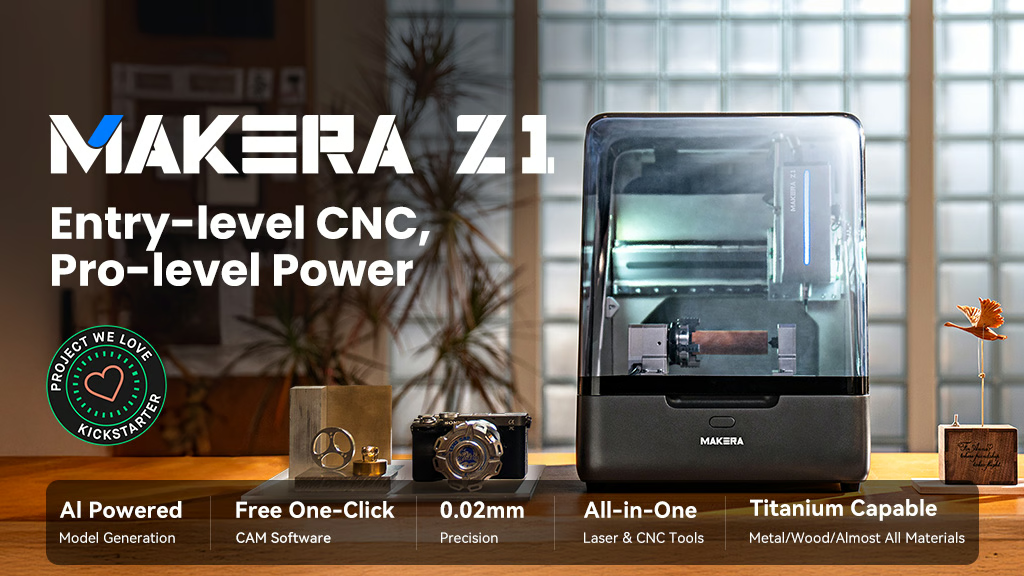
Makera, the team behind the Carvera desktop CNC, has unveiled the Z1 — a new entry-level desktop CNC aimed at makers, hobbyists, educators, and small businesses. Before getting into the machine itself, the same disclosure applies here as with most new hardware in this space right now: the Z1 is being introduced through a crowdfunding campaign, not sold as a shipping retail product. That’s worth knowing before you get excited about the spec sheet.
What the Z1 Actually Offers
Unlike a lot of budget CNC kits built on lightweight aluminum extrusion, the Z1 uses a rigid cast-aluminum frame, which should help with vibration and cut quality across wood, plastics, PCBs, and light non-ferrous metals like aluminum and brass with the right feeds and passes. The working area is a modest 200 × 200 × 100mm — enough for real small-part work without taking over a home workshop or classroom.
On the hardware side, it runs a closed-loop spindle up to 13,000 RPM, a quick-change tool system to cut down setup time between operations, an integrated dust-management setup built for a desktop environment, and a built-in camera for job monitoring. There’s also room to grow — Makera lists optional 4th-axis rotary and laser module support down the line. On the software side, Makera Studio is meant to lower the CAD/CAM learning curve with one-click CAM generation, AI-assisted modeling from images, and cross-platform support. If that works as described, it addresses the actual thing that keeps a lot of people from ever finishing their first CNC project — not the machine, the software.
The Crowdfunding Reality
The Z1 is currently backed through a crowdfunding campaign with early-supporter pricing, not something you can order and have show up next week. That means the same caution applies here as with any pre-launch hardware: expect the possibility of shipping delays, early firmware rough edges, and support infrastructure that’s still being built out while the first units go to backers. None of that makes it a bad machine — it just means treating it as a speculative buy rather than a dependable business tool until it has actually shipped and been reviewed by people who own one.
Who This Actually Fits
The Z1 looks like a reasonable fit for makers upgrading from an entry-level router, educators teaching CNC fundamentals, or a small business wanting to prototype or run short runs without jumping to an industrial mill — it’s not trying to replace a heavy metal-production machine. If you’re deciding on your first CNC and want something available now with a track record, I’d start with my beginner’s guide to CNC machines rather than backing a campaign sight unseen. If you already have a working setup and want to treat this as a low-stakes bet on a more automated, software-friendly machine, it’s worth watching.
My honest take: the cast-aluminum frame and the software focus are the two things that actually matter here, and both are genuinely useful if Makera delivers on them. I just wouldn’t recommend anyone make this their only or first machine before real owners have put hours on it.
[…] Guide to CNC Machines is the right foundation. If you are evaluating compact production setups, Makera Z1 for Small Business helps frame where a desktop CNC fits and where it does not. And if your goal is product selection […]