
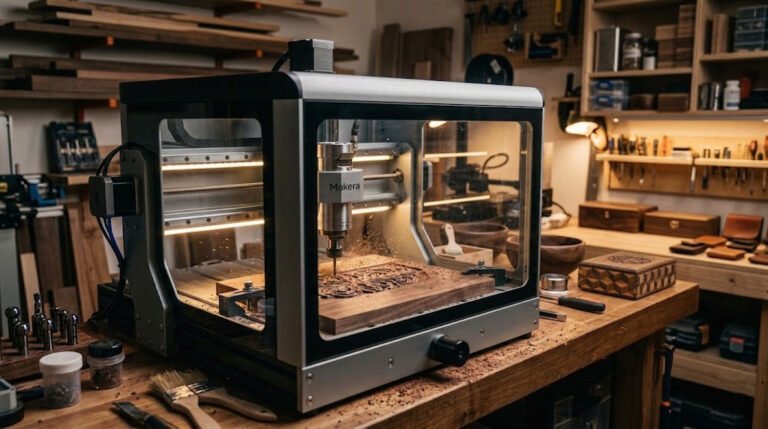
The Makera Z1 is getting attention for a simple reason: it promises a more approachable desktop CNC at a price point that feels less intimidating than many enclosed, premium desktop machines.
That matters because a lot of small-business buyers are interested in CNC, but they don’t want to start with a giant shop setup, a loud open-frame router, or a machine that feels like a full-time engineering project before it ever makes a sale.
So the real question isn’t whether the Makera Z1 looks impressive on a spec sheet.
The real question is this:
If you run a small product business, side hustle, or home-based maker setup, is the Makera Z1 actually a smart first CNC machine?
In some cases, yes.
But it isn’t the right answer for everyone, and a lot of the wrong purchases in this category happen because buyers confuse “compact and capable” with “easy, scalable, and business-ready for my exact workflow.”
This guide is built to help you avoid that mistake.
The short answer
The Makera Z1 can be a smart first CNC machine for a small business if you want a compact desktop workflow, your product line is small-format and precision-oriented, and you specifically want CNC capability without jumping straight into a larger woodworking-class router setup.
It’s probably not the smartest first CNC if:
- you need large work area more than compact convenience
- your products are heavy on sheet processing or larger sign production
- you expect fast production output immediately
- you’re on a tight budget once tooling, dust control, material waste, and learning mistakes are included
- you’re still not sure whether you need a CNC at all
That last point is important.
For many beginners, the first bad decision isn’t choosing the wrong CNC. It’s choosing CNC at all when a laser would have matched the business better.
If you’re still at that stage, Laticy’s What Machine Should You Buy First for a Side Hustle? is the better first read before you lock onto any single machine.
Why the Makera Z1 is getting attention
The Makera Z1 is riding a timely wave because it’s positioned as a more accessible desktop CNC, not just another hobby router kit.
The main appeal is easy to understand:
- desk-friendly footprint
- more polished “productized” feel than a lot of budget CNC options
- lower entry price than many enclosed premium desktop CNC systems
- features positioned around easier onboarding, automation, and less intimidating setup
- strong interest from buyers who want a first CNC for small business use, prototyping, product making, or serious side-hustle work
The public signal around it’s also stronger than a random minor launch. Makera pushed the Z1 as a lower-cost desktop CNC with late-purchase pricing below its stated MSRP, highlighted claims around 4-axis capability, built-in camera monitoring, tool-change convenience, and easier calibration, and rode unusually strong crowdfunding traction for a desktop CNC launch. That doesn’t prove long-term business fit by itself, but it does explain why the machine has real search momentum instead of just press-release noise.
Makera’s broader desktop-CNC reputation also helps. Buyers already familiar with the brand see the Z1 as a lower-cost entry into the same general “modern desktop CNC” lane rather than a bare-bones beginner toy.
That’s exactly why this machine creates real buyer interest.
It sits in a very specific gap:
- above basic budget router curiosity
- below more expensive premium desktop CNC commitments
- closer to the kind of polished machine many beginners wish existed when they first start shopping
That doesn’t automatically make it the best first machine. But it does make it a legitimate decision-stage product rather than empty launch noise.
Who the Makera Z1 is actually for
The strongest fit isn’t “everyone who wants a CNC.”
The strongest fit is a narrower group of buyers.
The Makera Z1 makes the most sense for:
- home-based businesses with limited space
- maker brands producing smaller wood, plastic, PCB, soft-metal, or precision-detail parts
- beginners who want CNC capability but are actively trying to avoid a more chaotic open-router experience
- operators who care about machine footprint, cleaner workflow, and a more approachable software/hardware experience
- product businesses making small premium items, fixtures, inserts, engravings, prototypes, molds, or repeatable detail work rather than oversized decor or furniture-scale parts
This kind of buyer usually values three things:
- A machine they can realistically fit into their workspace
- A workflow they can learn without rebuilding half the shop around it
- Enough capability to produce saleable work without immediately outgrowing the machine in week two
That’s the lane where the Z1 has the best case.
Who should probably not start with the Makera Z1
There are also clear cases where the Z1 looks exciting but is still the wrong first CNC.
Skip it or slow down if this sounds like you:
- you mainly want to make large carved signs, cabinet parts, furniture components, or bigger woodworking pieces
- your product business depends on processing larger sheets efficiently
- you need the cheapest possible route into CNC and are comfortable trading polish for price
- you already know your workload will become production-heavy quickly
- you’re comparing it against a laser, UV printer, or other machine category and still haven’t decided what your business actually sells
This matters because “desktop CNC” and “small business CNC” aren’t automatically the same thing.
A small business can still need a machine that’s physically larger, less refined, louder, or messier if the actual product line demands it.
If your revenue plan depends on larger-format woodworking, the Z1 may be a clean machine in the wrong category for your business.
That’s where a broader CNC path may make more sense, including looking at larger-router options like MakerMade if the real need is format and woodworking capacity rather than compact desktop convenience.
What the Makera Z1 is really selling: reduced friction
A lot of first-time CNC buyers think they’re shopping for spindle power, accuracy, or materials list first.
In practice, many of them are shopping for reduced friction even if they don’t say it that way.
They want:
- less intimidating setup
- less manual fiddling
- less “maker tax” in the form of constant tweaking
- less regret about bringing a bulky machine into a small room
- less chance that the machine becomes an abandoned project instead of a production tool
That’s what makes the Z1 interesting as a first-CNC business machine.
If Makera’s pitch lands, the value isn’t only in what the machine can cut or mill. The value is in compressing the gap between “I want CNC capability” and “I can actually integrate this into a real weekly workflow.”
For a small business, that matters.
The first machine doesn’t need to be perfect. It needs to become usable fast enough to earn its place.
Setup and learning curve: better doesn’t mean easy
This is where a lot of launch coverage gets too soft.
Even if the Makera Z1 is meaningfully friendlier than traditional hobby-router paths, it’s still a CNC machine.
That means you still have to learn:
- feeds and speeds at a practical level
- workholding
- zeroing and tool setup
- material behavior
- chip evacuation and cleanup
- tool wear
- job planning
- failed cuts and broken bits
- how to think in toolpaths instead of just pretty mockups
A more polished machine may reduce the friction around those lessons, but it doesn’t remove them.
That’s why the best Z1 buyer isn’t someone looking for a “push button, money comes out” machine.
The best Z1 buyer is someone who wants a more controlled introduction to CNC and is willing to learn the process seriously.
If you need a broader primer first, Beginner’s Guide to CNC Machines, What to Know Before You Buy is the natural internal link before publishing this piece.
Budget reality: the machine price isn’t the whole budget
The Z1 gets attention partly because the base price positioning looks more approachable than many buyers expect from a modern enclosed desktop CNC.
That part is real.
The danger is thinking that the entry price is the same thing as the startup budget.
It isn’t.
Your first-CNC budget usually also needs room for:
- end mills and consumable tooling
- clamps, vises, spoil material, or other workholding accessories
- dust extraction or shop-vac support
- extra material for testing and mistakes
- replacement bits after breakage
- finishing tools and sanding time
- software workflow learning
- packaging and shipping considerations if products are sold online
- the cost of slower production while you learn
For a small business, those “hidden” costs matter because they affect how quickly the machine can turn into profitable output.
A machine that looks affordable can still feel expensive if your product margins are weak or your learning curve burns too much material early.
That’s one reason this category makes more sense for operators with a defined product direction, not just general machine curiosity.
If you want help pressure-testing margin assumptions, the Product Pricing Calculator is a useful support link around this part of the article.
Workflow fit matters more than machine excitement
If you’re evaluating the Makera Z1 for small business use, ask a better question than “Can it machine this material?”
Ask:
Can this machine support the product workflow I will repeat every week without becoming the bottleneck?
That’s a much better business filter.
The Z1 looks strongest when your workflow is:
- small-batch rather than mass-production
- detail-oriented rather than sheet-volume oriented
- compact and repeatable
- based on premium small products, prototypes, fixtures, or specialty components
- manageable in a home office, garage corner, or small studio
The Z1 looks weaker when your workflow is:
- large-format sign production
- heavy woodworking throughput
- high-volume order fulfillment from day one
- built around oversized stock or larger part nesting
- dependent on the machine doing a lot of work fast with minimal supervision from an inexperienced operator
This is the difference between a machine that fits the business and a machine that just fits the desk.
Materials and use cases: where the Z1 can make sense
The Makera Z1 is interesting because it isn’t being pitched as a single-material novelty machine.
The broader appeal is that it can sit in the mixed-material desktop-fabrication zone that attracts product designers, technical makers, premium hobby-to-business operators, and compact-shop businesses.
Use cases where a first-time business buyer may genuinely benefit:
- small carved wood products
- engraved or milled premium gift items
- small trays, inserts, holders, and organizational products
- precision jigs and shop fixtures
- acrylic or plastic parts
- PCB or electronics-adjacent fabrication work
- branded detail components
- low-volume prototyping before outsourcing or scaling
- small soft-metal detail work where the operator understands the limitations of desktop-class CNC
That’s a much more realistic lane than pretending this is the all-purpose answer for every wood-product business.
If your catalog is mostly “small, precise, premium, controlled,” the Z1 gets more compelling.
If your catalog is mostly “big, fast, rugged, and throughput-driven,” it gets less compelling.
Limitations and caution flags
This is the part buyers shouldn’t skip.
Even if the Makera Z1 is promising, there are still real business-side caution flags:
- compact CNCs are easier to fit into a room than to scale into serious throughput
- launch excitement and crowdfunding momentum aren’t the same thing as years of field-proven small-shop reliability
- beginners often underestimate how fast workholding, tooling, and job setup affect output
- “can machine metal” claims need to be read carefully in desktop CNC categories because light-capability and production-suitability aren’t the same thing
- a cleaner ecosystem can still leave you exposed if support, spare parts, or workflow maturity don’t match business expectations
That doesn’t make the Z1 a bad option.
It just means the smartest buyer treats it as a workflow tool with constraints, not as a miracle machine.
Production realism: can it support paid work?
Yes, it can support paid work.
That isn’t the same as saying it’s automatically the best machine for scaling paid work.
For a small business, there are three different stages to think about:
1. Validation stage
You’re proving that people will buy the product at all.
At this stage, a machine like the Z1 can make a lot of sense because compactness, lower friction, and lower capital exposure matter.
2. Early repeat-order stage
You’re getting enough orders that consistency, fixtures, repeatability, and time-per-unit start to matter.
The Z1 may still fit well here if the products are small and the process is disciplined.
3. Growth bottleneck stage
You know the product sells, and now cycle time, work area, batch handling, and capacity start to matter more than beginner convenience.
This is the stage where some businesses will still be happy with a compact desktop CNC, while others will clearly need to graduate to a larger workflow.
That distinction matters because a lot of first-machine regret comes from buying for stage three before stage one is proven.
The Z1 can be smart if it helps you move through stages one and two without overcommitting too early.
It becomes less smart if you already know your business is basically stage three on day one.
Is the Makera Z1 better than a traditional first CNC path?
For some buyers, probably yes.
That doesn’t mean it’s “better than all CNCs.” It means it may be better than the usual beginner path of buying a cheaper, rougher machine that creates so much setup friction the business never stabilizes around it.
That’s one of the most underrated realities in digital fabrication.
A theoretically cheaper machine isn’t actually cheaper if:
- it slows learning too much
- it creates constant troubleshooting drag
- it scares the owner out of using it regularly
- it turns the workspace into a mess they hate working in
- it makes early paid jobs feel stressful instead of repeatable
This is where the Z1 has a legitimate business argument.
If the machine really reduces onboarding friction while preserving enough real capability, then the premium over a rougher entry path can be rational.
That said, buyers should still be careful not to pay for polish they don’t need.
If your business obviously needs more work area or more raw woodworking utility, paying for a sleek compact system can still be the wrong move.
Should you buy the Makera Z1 or start with a laser instead?
This is a more important question than many CNC articles admit.
For a lot of product businesses, the real first-machine decision isn’t “which CNC?”
It’s:
Do I actually need a CNC first, or would a laser create faster, broader product flexibility?
A laser often wins as the first machine when you want:
- signs
- ornaments
- layered products
- acrylic name products
- wedding and event goods
- lighter customization workflows
- broader product testing with less carving complexity
A CNC starts making more sense when you want:
- carved depth, not just engraved surface work
- joinery or shaped woodworking parts
- trays, boards, molds, or dimensional objects
- more true machining behavior instead of laser-style surface finishing
If you read this article and realize your business is still really in the “first machine overall” stage, it’s reasonable to route readers toward laser-first alternatives like xTool, Monport, or WeCreat instead of forcing a CNC decision too early.
That isn’t a failure of the article. That’s exactly what a useful buyer guide should do.
The strongest case for buying the Makera Z1
The Z1 is at its strongest when all of these are true:
- you definitely want CNC, not a laser or UV printer
- your products are relatively small and precision-friendly
- space matters a lot
- you want a cleaner, more approachable first-CNC experience
- you’re comfortable paying for reduced friction, not just raw machine size
- you’re still validating or early in repeat-order growth rather than already running a throughput-heavy shop
When those conditions line up, the Z1 looks like a credible first-CNC candidate for a small business.
The strongest case against buying the Makera Z1
The case against it’s just as clear:
- you need format more than finesse
- you need capacity more than compactness
- you’re still too early to know whether CNC is even your best category
- you’re stretching the budget and ignoring tooling, dust, and learning costs
- you’re buying based on launch excitement instead of product workflow
If that’s your situation, the Z1 may still be a good machine, but not a smart first business purchase.
Comparison framing: what kind of buyer should compare the Z1 against what?
This article should help the reader compare in the right direction.
Compare the Makera Z1 against larger CNC options if:
- your products may outgrow a compact work envelope quickly
- you need more woodworking capacity
- you care more about size and material handling than a desk-friendly machine
That’s where a broader-router alternative like MakerMade becomes a useful next click.
Compare the Makera Z1 against laser options if:
- you’re still undecided between carving and laser-based product workflows
- you want more product variety with less machining complexity
- your likely bestsellers are signs, ornaments, acrylic goods, or event products
That’s where xTool, Monport, or WeCreat are cleaner alternatives than forcing a CNC purchase.
Compare the Makera Z1 against more premium enclosed desktop CNC paths if:
- you already know you like the modern enclosed desktop-CNC model
- you want to understand how much capability you’re giving up or keeping by starting lower in the range
- you care about the long-term upgrade path inside the same general machine class
That’s a strong internal-link bridge into a dedicated product review or future comparison piece rather than a place to overstuff this article.
Final verdict
The Makera Z1 looks like a smart first CNC machine for the right small-business buyer, but only when the buyer is solving the right problem.
If the problem is:
- “I need a compact, more approachable CNC for smaller premium products”
then the Z1 makes a lot of sense.
If the problem is:
- “I need a machine that can carry larger woodworking production fast”
then it’s probably the wrong first purchase.
If the problem is:
- “I am not even sure CNC is my best first category”
then the right answer is to step back and compare categories before buying any machine.
That’s the honest business read.
The Z1 isn’t interesting because it’s trendy. It’s interesting because it could reduce the usual pain of getting into CNC for smaller operators.
That’s real value.
But only if the machine fits the product, the space, the budget, and the growth stage.
FAQ
Is the Makera Z1 good for a small business?
It can be, especially for a small business making compact, detail-oriented products in a limited space. It’s a weaker fit for larger-format woodworking or businesses that already know they need more production capacity.
Is the Makera Z1 a good first CNC machine?
Potentially yes. Its strongest appeal is as a more approachable first-CNC option for buyers who want a compact, polished workflow. It’s still not beginner-proof, and buyers still need to budget for tooling, dust management, and learning time.
Can the Makera Z1 handle production work?
It can support paid production work, especially in smaller-batch or premium-detail workflows. The main question isn’t whether it can make products, but whether its work area and throughput match the scale of the business.
Is the Makera Z1 better than a cheaper entry-level CNC?
For some buyers, yes, because reduced setup friction and a cleaner desktop workflow can be worth paying for. For other buyers, especially those needing larger work area or the absolute lowest-cost entry point, a cheaper or broader-format path may make more sense.
Should a beginner buy the Makera Z1 or a laser first?
That depends on the products. If the business centers on carved, dimensional, or machined products, the Z1 may be the better fit. If the business is more about signs, ornaments, acrylic goods, or broad customization, a laser may be the smarter first machine.
Is the Makera Z1 enough for a home-based business?
It may be one of the cleaner fits for a home-based business because compactness and reduced workflow friction matter more in shared or limited spaces. That said, “home-based” doesn’t eliminate dust, noise, tooling costs, or the learning curve.