
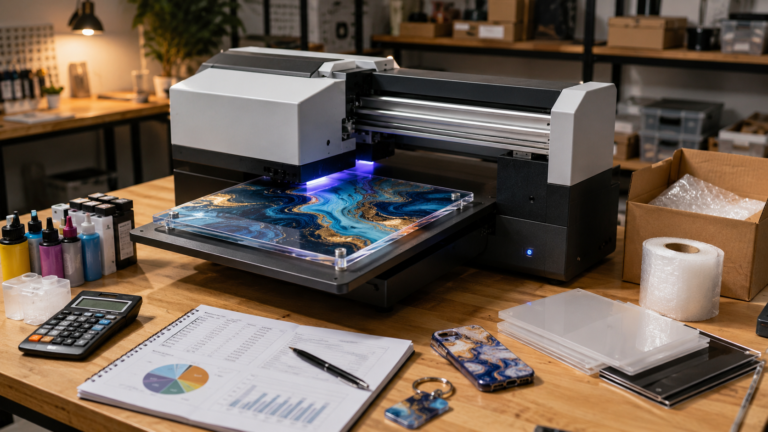
Desktop UV printing can make premium-looking products, but the real cost isn’t just blank plus ink. This guide breaks down the recurring costs, hidden waste, setup time, spoilage, and margin decisions small shops need to understand before pricing UV printed products.
Desktop UV printing is easy to underestimate because the finished product often looks simple.
A printed acrylic sign, personalized phone case, branded keychain, or short-run gift item can look like a quick job: place the blank, send the print, pack it, move on. That’s exactly why so many makers underprice it. The visible output looks clean, but the business cost sits in all the steps around the print.
That matters more now because smaller-format UV printers are making the category feel accessible to home shops, Etsy sellers, and laser businesses that want full color. Accessibility isn’t the same thing as cheap production. A desktop UV printer may cost less than industrial equipment, but the day-to-day economics can still surprise people once they start printing real jobs instead of samples.
If you’re still comparing machines, start with Best UV Printer for Small Business in 2026 for the broader category view. This article is narrower on purpose: not which machine to buy, but how to think about cost per item and whether your margins are actually real.
Why Desktop UV Printing Gets Underpriced
The most common mistake is treating UV printing like a simple material markup.
A shop owner buys a blank for a few dollars, estimates a small amount of ink, adds a markup, and assumes the rest will work itself out. That can feel reasonable on one smooth print when everything goes right. It becomes a problem when the real production pattern shows up: a nozzle check before printing, a test piece for alignment, a primer decision, one spoiled blank because the artwork was shifted, a cleaning cycle, a second pass for white, and ten minutes of handling that nobody counted.
Desktop UV pricing tends to drift low because several costs are easy to miss at the beginning:
- white ink, primer, and varnish can change the cost profile quickly
- maintenance continues even when sales are slow
- spoilage feels occasional until you track it over a month
- small custom orders create a lot of setup time relative to revenue
There’s also a positioning problem. UV printing often produces premium-looking items, but shops still price them like casual handmade goods. If the product looks polished enough for business signage, event branding, retail fixtures, or premium personalized gifts, it needs a pricing model that reflects commercial-grade expectations and replacement risk.
What Belongs in a Real Desktop UV Cost Model
A useful UV cost model isn’t just about consumables. It’s about the full cost of producing a sellable item repeatedly.
Ink Is Only the Starting Line
Ink matters, but “ink cost” isn’t one number.
Color ink usage varies by artwork coverage, image density, print mode, substrate color, and whether the product needs a strong white underbase. Printing a simple black logo on a white coated blank is a different job from printing full-color artwork on clear acrylic with a white layer behind it.
White ink deserves its own line item mentally, even if the software rolls it into the same print workflow. In practical shop terms, white ink often turns a “cheap little print” into a more expensive decorated product. It can make color on dark or clear substrates look far better, but it also increases material usage and may bring more maintenance sensitivity depending on the system.
Varnish or gloss effects, when the machine supports them, should be treated the same way. They aren’t free visual upgrades. They’re part of the cost structure and part of the reason a premium-looking sample may not have the same margin as a simpler version.
Primer and Adhesion Prep Are Part of the Job
Primer is one of the easiest costs to ignore because it doesn’t always show up visibly in the finished piece.
Some blanks print well with minimal prep. Others need cleaning, adhesion promoter, primer, or a tested coating workflow to avoid disappointing durability. If you’re printing on acrylic, coated metals, plastics, prefinished goods, or customer-supplied items, surface prep can be the difference between a reliable product and a return problem.
The cost isn’t just the liquid itself. It’s also the wipes, swabs, gloves, ventilation habits, prep time, and the occasional blank that gets rejected because the surface was contaminated or inconsistent.
This is why generic “cost per print” claims can be misleading. Two shops using the same printer may have very different economics depending on what they print on and how standardized their blanks are.
Maintenance Is Part of Every Sale
Many first-time UV buyers think maintenance is a separate shop chore. In reality, it’s part of product cost.
Desktop UV printing usually brings recurring routines like nozzle checks, head cleaning, capping-station attention, wiper replacement, ink circulation management where applicable, cleaning fluid use, waste ink handling, and periodic service parts. Each step may feel minor. Together, they create an operating cost that has to be absorbed somewhere.
That’s especially important for low-volume shops. A machine that sits too often may still consume maintenance time and supplies. Your cost per item can look worse when order volume is irregular, because the maintenance burden doesn’t disappear just because sales are slow.
A shop selling a steady run of the same printed blanks can spread that burden over more items. A shop doing occasional one-offs often can’t.
Test Prints and Spoiled Blanks Are Normal Manufacturing Cost
UV printing is one of those workflows where “just one quick sample” can multiply.
You may need a position check, a color check, a white-layer check, a jig alignment check, or a quick test on a new blank batch. On a stable product line, those costs become more predictable. On custom work, they stay stubbornly present.
Spoilage isn’t a sign that your shop is failing. It’s part of manufacturing.
In desktop UV work, spoiled blanks can come from misalignment, adhesion problems, handling marks, dust, static, poor cure, wrong artwork sizing, customer-approved files that still looked wrong on the physical object, or surfaces that were less forgiving than they seemed in the sample stage.
The right question isn’t whether spoilage exists. The right question is how you account for it.
If you only price successful prints and mentally throw the failures into a “shop loss” bucket, profitable-looking items can quietly become average items. Small products make this especially deceptive because one ruined blank doesn’t feel dramatic. Over a month, replacement pieces and extra reprints can materially change the actual margin.
Jigs, Fixtures, and Labor Determine Repeatability
Desktop UV gets much more profitable when the workflow gets repeatable.
That often means making or buying jigs, fixtures, registration aids, trays, hold-down methods, masking materials, and storage systems for consistent blanks. If you already run a laser, this is one place the machines can work together well: the laser can help produce custom jigs that improve UV setup speed.
But those jigs are still part of the job economics.
A fixture may not belong entirely to one item. It usually gets amortized across a product line. Still, if you build a jig for a custom order that never repeats, that setup investment belongs in the order decision.
Labor is where many shops get caught. They count machine time but forget operator time.
For UV printing, labor often includes prepping and cleaning blanks, loading fixtures, positioning products, running nozzle checks, checking the first print, unloading carefully, handling double-sided or multi-pass jobs, inspecting for defects, packaging, and customer communication.
The print itself may only take a few minutes. The surrounding labor can take much longer than the customer imagines. If the price only reflects press time, the shop is giving away the most operationally expensive part of the job.
Packaging, Presentation, and Downtime Still Affect Margin
UV printed items are often sold as finished gifts, signage, business branding pieces, or premium personalized products. That means packaging isn’t just a shipping expense. It’s part of the deliverable.
Protective sleeves, tissue, corner protectors, small boxes, backing cards, labels, care cards, application instructions, and shipping-safe padding all add cost. If the item scratches easily or needs presentation quality, the packaging standard may be higher than for a basic engraved item.
Downtime belongs in the same margin conversation.
A UV printer that’s waiting on parts, troubleshooting print quality, or stalled in a support loop isn’t just inconvenient. It can interrupt deliveries, create replacement jobs, delay cash flow, and force you to turn away orders. You don’t need to add a dramatic “disaster fee” to every product, but you do need enough margin to survive the periods when the machine isn’t behaving perfectly.
That’s part of why low-margin UV products are dangerous. When everything works, they may look acceptable. When the machine loses a day or a week, they stop making sense fast.
If you’re following desktop UV because of newer consumer-facing interest, the EufyMake desktop UV article is useful context for why so many makers are revisiting this category. Just don’t confuse category excitement with proven shop economics. I use an eufyMake E1 (affiliate link) in my own shop, and I’m tracking its real per-item costs for a follow-up.
A Practical Desktop UV Cost-Per-Item Formula
Once the hidden costs are visible, the next question is how to turn them into a usable pricing model.
There’s no single universal UV formula, because machines, inks, substrates, and workflows differ. But a useful small-shop model looks like this:
Cost per sellable item = blank + ink + white ink or varnish + primer and prep materials + maintenance allocation + test print allocation + spoilage allocation + fixture or jig allocation + labor + packaging + payment or shipping overhead if applicable
If you want to turn that into a pricing check, use this framing:
Target selling price = total cost per sellable item + desired profit margin + room for support risk and mistakes
The key phrase is sellable item.
Don’t divide by the number of pieces you hoped to make. Divide by the number of pieces that actually leave the shop in acceptable condition after setup, testing, and inevitable loss are considered.
The Product Pricing Calculator can help with the broader pricing structure, but the numbers only become useful when you feed it honest inputs.
Example Math, Not a Benchmark
This isn’t a vendor-price claim or a universal average. It’s only an example of how the thinking works.
Imagine a small acrylic sign where your tracked average looks something like this:
| Cost Item | Example Cost |
| Blank | $4.00 |
| Combined ink and white usage estimate | $1.20 |
| Primer and prep supplies | $0.45 |
| Maintenance allocation | $0.80 |
| Spoilage allocation | $0.75 |
| Fixture/setup allocation | $0.40 |
| Labor and handling | $5.50 |
| Packaging | $1.10 |
| Illustrative cost per sellable sign | $14.20 |
If you sell that sign for $18 because the blank “only costs a few dollars,” you aren’t really building a margin. You’re hoping nothing goes wrong. If you sell it for $28 to $36 depending on complexity, quantity, and finishing, now you’ve room to absorb the invisible parts of the process.
Your real numbers may be very different. The point is that UV printing often behaves more like a decorated manufacturing workflow than a quick craft add-on.
Where Margins Usually Get Distorted
Even with a sound formula, UV margins still get distorted in a few predictable ways.
Small Orders Look Better on Paper Than They Feel in the Shop
A one-piece or two-piece custom order can carry almost the same setup burden as a batch. You still have file prep, machine checks, blank prep, handling, and packaging. If the order is personalized, you may also have proofing and customer messaging.
That means very small orders often need a higher per-piece price, a minimum order charge, or a setup fee to stay healthy. Without that, the shop ends up subsidizing convenience.
Custom Orders Hide Revision and Replacement Costs
Custom UV work is attractive because it feels premium and personal. It’s also where hidden losses accumulate.
Customers ask for small artwork changes. Placement gets debated after the proof. A name spelling gets corrected at the last minute. A customer-supplied item behaves differently than expected. One piece is reprinted because the first version was technically fine but not acceptable enough to hand over confidently.
Those are normal business events. If your pricing assumes none of them will happen, the product is underpriced.
Volume Discounts Can Erase the Part of the Price That Was Saving You
Batch work usually improves efficiency, but not all discounts are smart discounts.
If most of your margin is coming from setup recovery and you give aggressive quantity pricing too early, you can end up selling a bigger job with less protection instead of more. Good quantity pricing reflects actual production efficiency, not pressure from the buyer alone.
This is the same pricing discipline that matters in laser work. If you run both categories, How Much Can You Make With a Laser Engraving Business? is worth reading alongside this article because the mistake is similar: charging for visible materials while undercounting setup, labor, scrap, and order management.
When Desktop UV Printing Is Actually Profitable
Desktop UV printing tends to be strongest when a shop has three things working together: standardized blanks, repeatable setup, and customers who value the finished look enough to pay for it.
That often shows up in products like acrylic signage, office nameplates, repeatable branded items, event pieces, premium tags, small fixture panels, retail displays, and other products where full-color print creates clear value.
Profitability usually improves when the blank size is standardized, the artwork type is predictable, the shop has a stable prep process, spoilage is tracked, packaging is already dialed in, and customers are buying a finished product instead of endless customization time.
In other words, UV gets healthier when it becomes a product line instead of a random capability.
When Desktop UV Is Most Often Underpriced
Desktop UV is usually underpriced when the shop is trying to be too flexible.
Printing on customer-supplied items, taking one-off personalized orders without minimums, experimenting across too many substrates, or selling full-color products with laser-shop pricing habits can all create weak margins. This is especially true when the product looks high value but the order flow still behaves like handcrafted custom work.
A common pattern is that a maker adds UV to an existing laser business and assumes the same pricing instincts will transfer over. Sometimes they don’t. Laser shops are already familiar with setup, scrap, and labor, but UV adds new variables around adhesion, white layers, cleaning, and surface consistency.
The combination can be excellent. It just needs a fresh cost model.
When a Laser Shop Should Add UV Printing
A laser shop should usually consider UV when color clearly increases the value of products the shop already knows how to sell.
That might mean laser-cut acrylic signs with full-color logos, engraved-and-printed plaques, branded display pieces, event signage, packaging components, or premium nameplates. In that case, the UV printer isn’t being asked to invent demand from scratch. It’s upgrading proven offers.
That’s a much better starting point than buying UV because it seems like the next interesting machine.
If your laser business already struggles with pricing discipline, turnaround, or custom-order sprawl, fix those issues first. UV printing can increase average order value, but it can also amplify weak systems. The best reason to add UV isn’t that it looks impressive. It’s that it makes a specific set of products more sellable at better margins.
Desktop UV Printing Costs FAQ
How much does desktop UV printing cost per item?
It depends on the blank, artwork coverage, white ink use, prep needs, spoilage, and labor. In a real shop, cost per item is rarely just blank plus ink. A usable model should include maintenance, test prints, setup, packaging, and some spoilage allowance.
Is white ink more expensive to print with?
In practical terms, yes. White ink often increases material usage and may add maintenance sensitivity depending on the machine and workflow. It can be worth it because it improves print quality on dark or clear substrates, but it should be treated as a meaningful cost factor.
Do I need to include maintenance in UV product pricing?
Yes. Even if you don’t bill it as a separate line, maintenance is part of the machine’s operating cost. If you ignore it, low-volume and small-batch work will often look more profitable than it really is.
Why are custom UV orders hard to price?
Because custom orders bundle print cost with communication, proofing, setup, testing, replacement risk, and handling. The print itself may be quick while the surrounding work isn’t. That mismatch is where many shops quietly lose money.
Is desktop UV more profitable than laser engraving?
Not automatically. UV can support higher-value products, especially where full color matters, but it also carries different consumable and maintenance costs. Profit depends more on product choice, workflow discipline, and pricing than on the machine category alone.
Final Takeaway
Desktop UV printing can absolutely support a profitable small-shop product line. It can also produce beautiful underpriced work if you only count the blank and the ink.
The shops that do best with UV usually get narrow before they get broad. They standardize blanks. They track spoilage. They understand when white ink, primer, or varnish are worth using. They recover setup and labor on small orders. And they leave enough room in the selling price to survive maintenance, support delays, and the fact that not every print day goes perfectly.
If you’re evaluating whether a UV product is actually worth offering, build the cost model on one real item at a time. Run the formula honestly. Then check whether the margin still looks good after including the boring parts. That’s where the real answer is.
Disclosure: This article contains affiliate links. If you buy through them, Laticy may earn a commission at no extra cost to you. I own the eufyMake E1 mentioned above; the cost figures in this article are an example model, not measurements from my machine.
[…] you are still deciding whether the category itself makes financial sense, read Desktop UV Printing Costs: Real Per-Item Math and Margins before going too deep on product ideas. Blank selection and machine economics are tightly […]
[…] buying any UV setup, run the numbers through the kind of per-item thinking covered in Desktop UV Printing Costs: Real Per-Item Math and Margins. A machine trend isn’t a business model by […]