
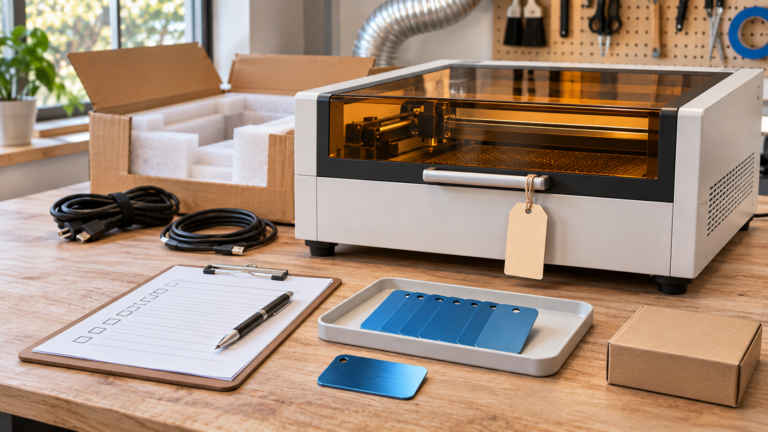
The box has arrived. That doesn’t mean the machine is ready for an order with a customer’s name and deadline attached.
A new machine can power on and still have the wrong configuration, hidden shipping damage, or a missing accessory. It might need a software or firmware decision, or your operator might not have training yet for the work you have in mind. A promising sample can also hide the time you spent prepping files, staging material, finishing, inspecting, and handing the piece off to the next step.
Treat the weeks after delivery as a controlled acceptance project, and use this new machine acceptance checklist to run it. Keep customer work off the machine while you confirm exactly what you bought, finish the manufacturer’s installation and safety steps, run representative test samples against criteria you wrote in advance, sort out open issues, and record who can release which work. Keeping customer work off until release is this guide’s shop-management recommendation. The technical steps and operating limits still come from your exact machine’s current documentation.
Still choosing equipment? Use Laticy’s Black Friday machine-deal filter. This guide picks up after the purchase. It isn’t a deal roundup, a comparison, a setup recipe, or a promise that a machine will pay for itself.
Acceptance is different from arrival, installation, and production release
Each milestone answers a different question:
- Received: Did the shipment arrive, and have you documented what it is and what condition it’s in?
- Installed: Did someone complete the required site, assembly, connection, safety, software, and setup steps using current documentation and the manufacturer’s or an authorized provider’s process?
- Function checked: Did the machine pass the checks required for that exact model and installed configuration?
- Accepted for a defined scope: Did representative work meet product-specific criteria, with the full workflow and any unresolved issues reviewed?
- Released: Did the named authority approve specific operators, products, materials, accessories, and workflow limits for customer work?
No milestone quietly grants the next one. A technician finishing installation doesn’t accept your product for you. One great-looking test piece doesn’t release every material or application. And a release for flat engraved tags doesn’t automatically cover cutting thick stock, rotary work, unfamiliar coatings, food-contact items, children’s products, load-bearing parts, or anything else with different requirements.
Until someone signs the release record, label the machine and its production status clearly: Acceptance in progress: no customer work. Keep test pieces away from saleable inventory and order queues.
1. Match the machine to the order before you put it into service
Start with the purchase record, order confirmation, final invoice, packing list, serial labels, and any approved substitution or change. Write down the exact manufacturer, model, configuration, serial number, regional or electrical version where it matters, and the options you ordered.
Then list every major component you received:
- Machine and installed modules
- Power supplies, cables, adapters, hoses, or connection hardware
- Required guards, covers, enclosures, and extraction or collection parts
- Beds, platforms, tables, rails, lenses, spindles, heads, nozzles, feeders, rotary devices, cameras, probes, or other ordered options
- Starter consumables and tools
- Licenses, activation details, software entitlements, and documentation
- Ordered spare parts, service plans, training, or installation services
“The listing looked like this” isn’t evidence of configuration. Match the part numbers and descriptions you received against the final order and the manufacturer’s current documentation for your exact machine. Log any difference as an open issue, including a back-ordered accessory, a substituted part, or an entitlement that hasn’t shown up in your account.
A missing option might not block every test, but it can block release for whatever work depends on it. Put a boundary around the hold instead of pretending the gap doesn’t matter.
2. Document shipment condition before you toss the evidence
Follow the seller’s, carrier’s, and manufacturer’s instructions for receiving, moving, unpacking, inspecting, reporting, and keeping packaging. Before you get rid of any packaging, record:
- Delivery date and carrier reference
- Carton, crate, pallet, shock, tilt, seal, or moisture indicator condition where they apply
- Visible dents, punctures, crushing, water exposure, loose items, or disturbed fasteners
- Machine and accessory condition as you unpack
- Serial and part labels
- Photos tied to the shipment record
- Any shortages or damage, when and to whom you reported them, and the case number
Don’t power up, move, repair, open protected areas, or improvise a test just to see if a damaged shipment “still works” when the manufacturer or carrier says to stop. Keep the evidence and escalate through the named support path. Write down the instruction you got and the scope it affects.
“Box damaged, machine seems fine” isn’t a closed issue. Either document the manufacturer’s or seller’s decision and any inspection they require, or leave the condition open and keep the affected scope on hold.
3. Complete manufacturer-led installation, safety, and setup
Build your installation record around current instructions for your exact model, installed configuration, region, accessories, and intended process. Don’t piece together a universal checklist from videos about some other machine.
The record should cover:
- The current manual, installation guide, safety instructions, site-prep document, and accessory instructions you used
- Required space, support, utilities, environment, clearances, extraction, ventilation, collection, network, and other prerequisites
- Who’s allowed to move, assemble, connect, commission, inspect, or service the equipment
- Installer or authorized provider, date, and proof of completion
- Required guards, interlocks, emergency controls, labels, protective equipment, and shop controls
- Checks the manufacturer requires, and their recorded results
- Any installation exception, warning, unfinished step, or support case
For laser equipment, rely on the exact manufacturer documentation and qualified help for the machine, materials, ventilation, fire readiness, and location. Laticy’s laser safety and ventilation guide gives planning context, but it doesn’t replace the machine’s instructions or a professional assessment where one applies.
Never treat an acceptance worksheet as permission to bypass a guard, interlock, enclosure, extraction requirement, warning, authorization rule, or support instruction. If you’re not sure the installation or operation is safe, stop the affected work and go through the manufacturer or an authorized service provider.
4. Lock in the digital, accessory, support, and warranty baseline
Record the machine’s state before representative testing, so you can trace any later result back to what was actually installed.
Capture:
- Machine serial number and internal shop ID
- Controller, software, driver, RIP, slicer, design app, plugin, and firmware versions that matter to the workflow you’re testing
- Activation, account, license, and update status, without putting passwords or secret keys in the worksheet
- Accessory IDs, relevant part numbers, and installed configuration
- Approved file location and revision method
- A backup or export route, if the manufacturer supports one
- Support portal, phone, email, dealer, distributor, or authorized service route
- Warranty registration or entitlement status, confirmed start date if you have one, and how to file a claim
- Maintenance, inspection, consumable, and service documents, each with an owner
This is an identity record, not advice to update or roll back. Follow current manufacturer guidance before changing software or firmware, and keep the earlier test identity when you do. An update after acceptance is a change event that may call for review or retesting. It isn’t automatically good or bad.
Also note who owns each support relationship. “Contact support” isn’t enough if nobody knows which account holds the registration, which serial number to quote, or who can approve paid service.
5. Define training and authorization before testing
Installation, operation, maintenance, inspection, and release can each need different skills and authority. Name the people or roles who can:
- Run the machine during acceptance
- Perform each setup, check, cleaning, or maintenance task the manufacturer allows
- Load approved materials or install accessories
- Prepare and approve production files
- Inspect samples and record results
- Contact support and approve service work
- Place or lift a hold
- Release a defined scope for customer production
Tie each authorization to completed training, a current shop procedure, or a manufacturer or authorized-provider record where one applies. Showing up to a session doesn’t prove the training covered every task. Record the task or scope, the provider, the date, the evidence, any limits, and any required supervision.
You can approve someone for one process and not another. A trained operator isn’t automatically the release authority, and whoever bought the machine shouldn’t sign off on acceptance just because they’re eager to start production.
6. Write product-specific acceptance criteria before making samples
Don’t run a sample and then decide which visible qualities count. Set the acceptance plan before your first representative test.
For each scope you hope to release, spell out:
- Product and use: the exact product family, material identity, source or receipt group, size range, relevant accessory, and intended use.
- Controlled input: approved file and revision, approved material, test-piece ID, orientation, fixture or workholding reference, and authorized process record.
- Requirements: the product-specific content, dimensions, placement, fit, appearance, function, finish, cleanliness, post-processing, labeling, or other criteria that actually apply.
- Method: how you’ll check each criterion, with the approved tool, reference, viewing condition, test method, units, and person or role.
- Decision rule: pass or fail, or another controlled status, including where any numerical limit comes from. Don’t invent a tolerance just because the machine display shows decimal places.
- Sample coverage: why the materials, sizes, features, accessories, and workflow conditions you picked represent the scope you want to release.
- Evidence: sample IDs, photos, measurements, logs, files, inspection records, and retained examples where they help.
- Failure route: hold, support escalation, authorized correction, retest, or a narrower scope.
What makes a sample representative
A representative sample isn’t “whatever came in the box.” It should put the real workflow you plan to sell through its paces, without turning a customer order into the experiment. If you expect to produce two approved materials with different prep and finishing routes, test both, or release only the one your evidence supports.
Don’t claim that appearance proves strength, durability, electrical safety, food-contact suitability, child safety, fire performance, regulatory compliance, or any other hidden property. Those claims need their own requirements and competent evidence, beyond a good-looking sample.
7. Run controlled samples through the complete workflow
Use non-customer test material that’s approved for your exact machine and process. Give every sample an ID and link it to the acceptance plan, the actual machine and configuration, the software and firmware baseline, the material identity, the operator, the date, and the evidence.
Time and watch the workflow from its true start to its controlled handoff. Depending on the product, that might include:
- Reviewing the order or spec and pulling the file
- Preparing, exporting, transferring, and approving the file
- Retrieving, verifying, staging, and conditioning material where specified
- Changing an accessory, fixture, workholding, or platform through the approved route
- Loading, aligning, running manufacturer-directed checks, and staying with the machine as required
- Processing, including any required pauses
- Unloading and moving safely to the next task
- Cleaning, curing, cooling, washing, removing supports, sanding, assembling, or other approved post-processing
- Inspecting, recording, and deciding disposition
- Moving the piece to the next person, station, or controlled storage spot
- Resetting, handling waste, and getting ready for the next approved run
Record elapsed time and hands-on time where that split helps planning, but don’t turn either one into an earnings or payback promise. Include waits and handoff delays that would affect a real order. And don’t treat machine time as unattended time. Supervision follows the exact manufacturer instructions, your shop rules, the materials, and the conditions.
Use the same handoff discipline that protects the rest of the order. Laticy’s repeatable custom-order workflow covers intake, proofs, status, production, delivery, and archiving. This acceptance record adds a released machine and process scope to that bigger system. It doesn’t replace it.
8. Reconcile every issue, change, sample, and requirement
An acceptance run rarely produces nothing but clean passes. Keep one issue log with:
- Issue ID and date
- Observed condition, without an unsupported diagnosis
- Affected machine, accessory, sample, requirement, and scope
- Where the evidence lives
- Current status and owner
- Manufacturer, seller, carrier, installer, or service case reference
- Authorized action or decision
- Any resulting change to hardware, software, firmware, process, training, or scope
- Retest requirements and results
- Who closed it, and when
Don’t erase a failed result after a successful retest. Keep the sequence. A support case marked closed isn’t necessarily a passed product requirement, and a sample that passes after a change doesn’t automatically validate work you ran before the change.
Account for every acceptance sample by ID and current disposition: retained reference, on hold for review, approved only as acceptance evidence, rework, rejected, or disposed of through your shop’s controlled route. Test pieces never quietly become customer inventory.
Before release, every planned criterion should be Pass, Not applicable (with a reason), or Open/Hold. An open item has to block release, shrink the proposed scope, or have a documented reason it doesn’t affect that scope. “We’ll sort it out later” isn’t reconciliation.
9. Release a bounded scope, not “the machine”
The release authority reviews the full record and states exactly what’s approved. A useful release names:
- Machine ID, model and configuration, and the accepted accessory set
- Software and firmware baseline, or a controlled reference to it
- Authorized operators and any required supervision
- Approved product families, materials, size or feature limits, and workflow routes
- Approved file, fixture, inspection, and post-processing references
- Excluded products, materials, accessories, claims, or operating modes
- Open follow-ups that don’t affect the released scope
- Events that trigger a hold or a new review
- Release authority, signature, date, and next review condition
Give the proposed scope exactly one current release outcome:
- Released for defined scope: every requirement that affects that scope is resolved, and the named authority signs it.
- Partially released: the evidence supports a narrower scope, and everything outside it stays on hold.
- Not released: customer work stays off the machine while issues, training, evidence, or authorization are incomplete.
The release should also say what happens after a meaningful change. A new accessory, material family, software or firmware change, moved installation, service event, damaged part, changed safety control, new operator scope, or unexplained shift in output can trigger a hold and a bounded review. That doesn’t always mean repeating every acceptance step, but someone with authority has to decide what evidence you need and write it down.
Copy this new machine acceptance checklist and release worksheet
Use one worksheet per machine and installed configuration. Add a separate product-scope block for each workflow that’s meaningfully different. Replace every prompt with current, exact information, and write “not applicable” with a reason instead of leaving an ambiguous blank.
Part 1: Identity, receipt, installation, and safety
| Section | Required record |
|---|---|
| Acceptance identity | Acceptance ID: ___; machine shop ID: ___; manufacturer/model: ___; serial: ___; installed configuration/region: ___; acceptance owner: ___; opened date: ___; status label/location: ___ |
| Ordered versus received | Final order/invoice: ___; ordered machine/options/services: ___; received part/configuration IDs: ___; serials: ___; missing/substituted/back-ordered items: ___; effect on proposed scope: ___ |
| Shipment condition | Delivery/carrier reference/date: ___; packaging indicators/condition: ___; unpacking and machine/accessory condition: ___; photos/evidence: ___; packaging retention requirement: ___; damage/shortage case + instruction: ___ |
| Documentation baseline | Exact-model manual/version or access date: ___; installation/site-prep: ___; safety: ___; accessories: ___; software/firmware: ___; maintenance/service: ___; warranty: ___ |
| Site and installation | Required site/utilities/environment/clearances/extraction/collection/network: ___; completion evidence: ___; installer/provider: ___; date: ___; required exact-model checks/results: ___; exceptions/open items: ___ |
| Safety and escalation | Guards/enclosures/interlocks/emergency controls/labels/shop controls verified through: ___; approved materials route: ___; PPE or competent-review references where applicable: ___; stop/escalation route: ___; reviewer/date: ___ |
Part 2: Baseline, support, training, and criteria
| Section | Required record |
|---|---|
| Digital and accessory baseline | Software/driver/RIP/slicer/plugin versions: ___; firmware/controller: ___; activation/license status: ___; installed accessories + IDs: ___; approved file/configuration record: ___; update/change control owner: ___ |
| Support, service, warranty | Manufacturer/dealer/authorized service route: ___; account owner: ___; registration/entitlement status: ___; warranty evidence/date basis: ___; case procedure: ___; paid-service authority: ___; maintenance record owner/location: ___ |
| Training and authorization | Task/scope: ___; person/role: ___; training/provider/date/evidence: ___; limitations/supervision: ___; operator authorization: ___; inspection authorization: ___; hold/release authority: ___ |
| Proposed release scope | Product family/use: ___; material/source/range: ___; sizes/features: ___; accessories/fixture/workholding: ___; workflow/post-process: ___; operators: ___; explicit exclusions: ___ |
| Acceptance criteria (repeat per requirement) | Requirement ID: ___; criterion and source: ___; approved method/tool/units/viewing or test condition: ___; decision rule: ___; sample coverage/rationale: ___; inspector: ___; evidence required: ___; failure route: ___ |
Part 3: Samples, results, reconciliation, and release
| Section | Required record |
|---|---|
| Controlled sample identity | Sample IDs: ___; approved non-customer material/receipt group: ___; file/revision: ___; machine/configuration: ___; software/firmware: ___; fixture/accessory/orientation: ___; operator/date: ___ |
| Complete workflow record | Start boundary: ___; file/order review: ___; material staging: ___; setup/loading: ___; processing: ___; unloading/post-process: ___; inspection/recording: ___; handoffs/waits: ___; reset/waste: ___; end boundary: ___; hands-on and elapsed time: ___ |
| Results and evidence | Requirement ID: ___; observed result with units where applicable: ___; Pass/Fail/Open/Not applicable with reason: ___; photo/measurement/log/sample reference: ___; inspector/date: ___ |
| Issue/change log | Issue ID/observation: ___; affected scope: ___; evidence: ___; owner: ___; support/service case: ___; authorized action/change: ___; retest required: ___; result: ___; current status: ___; closure authority/date: ___ |
| Sample reconciliation | Sample ID: ___; current disposition (retained acceptance evidence / Hold / Rework / Rejected / controlled disposal): ___; location: ___; authorized by/date: ___; all samples reconciled (yes/no): ___ |
| Requirement reconciliation | Passed IDs: ___; Not applicable IDs + reasons: ___; open IDs: ___; each open item blocks, narrows, or does not affect proposed scope because: ___; reviewer/date: ___ |
| Release decision | Select one: Released for defined scope / Partially released / Not released; exact released scope: ___; excluded/held scope: ___; authorized operators: ___; open non-blocking follow-ups: ___; release authority/signature/date: ___ |
| Change and re-review triggers | Accessory/material/software/firmware/location/service/safety-control/operator/output changes requiring hold or review: ___; person authorized to define retest: ___; record location: ___ |
Worked example: releasing one tag workflow, not every laser use
This made-up example shows how the record flows. It doesn’t supply settings, tolerances, installation steps, or approval for any real machine or material.
A small shop takes delivery of a new enclosed laser, along with an exhaust accessory it ordered and a flat work platform. The first planned use is a line of anodized-aluminum ID tags. Rotary work, cutting, coated tumblers, unknown metals, plastics, and customer-supplied materials all fall outside the proposed scope.
Receipt and shipment: The serial number and electrical version match the final invoice. The exhaust accessory is there, but an optional rotary unit is back-ordered. There’s also a puncture on one side of the crate. The owner photographs the crate before unpacking, keeps the packaging, and opens a case with the seller. Following the seller’s process, an authorized installer notes that the affected area and machine components need inspection before setup. The written decision clears the flat-work configuration, while the missing rotary and any rotary work stay on hold.
Installation and baseline: The authorized provider completes installation and the checks that current documentation requires for the exact model and exhaust configuration. The shop records the document references, installer, date, machine and accessory IDs, software and firmware versions, support case route, warranty registration evidence, and required operator training. Nobody loads customer material.
Criteria written first: The shop defines one product scope: two approved tag sizes from one identified batch of anodized tag stock. Its existing product spec requires correct content and orientation, placement inside the approved drawing boundary, characters that pass the approved visual legibility check, no stray marks outside the artwork area, and a clean surface after the approved handling route. The shop points to its actual drawing, method, and decision rules. This example doesn’t invent numerical limits.
Testing, a failed sample, and the retest
Representative test samples: A trained operator prepares non-customer samples in both sizes. Each one links to its file revision, stock receipt, machine configuration, software and firmware baseline, platform, operator, and inspection record. Timing starts when the operator pulls and checks the approved file and material, and runs through staging, loading, required attendance, processing, unloading, cleaning, inspection, recording, the handoff to the packing bench, and reset.
The first small-tag sample passes. But the first large-tag sample has a stray visible mark outside the artwork boundary, so it fails. The shop holds that sample, records the observation without guessing at a cause, and escalates through the manufacturer’s support route. A trained person performs only the check the manufacturer authorizes. The record captures the resulting controlled change and calls for retesting both tag sizes.
Reconciling the samples and signing a bounded release
Retest and reconciliation: New identified samples in both sizes pass every requirement the shop wrote in advance. The original failed sample stays in the issue history, marked as rejected test material. It doesn’t disappear just because the retest passed. The shop accounts for every test piece. The full workflow timing shows the inspection handoff takes longer than the owner assumed, so they update their internal scheduling numbers, without making any ROI or delivery claims to customers.
Bounded release: The production lead, named in advance as the release authority, signs a partial release. It covers the exact machine, the flat platform, the recorded digital baseline, the two approved tag sizes, the identified stock, the approved files and inspection route, and two trained operators. It excludes rotary work, cutting, every other material, customer-supplied stock, and the back-ordered accessory. Installing the rotary later will trigger its own documentation, training, criteria, test samples, and release decision.
Only after that signature can the shop put a customer tag order on the machine.
FAQ
Is the manufacturer’s test piece enough to accept the machine?
Usually not for customer production. A manufacturer-required check can show that someone completed a specific installation or function check. Your release also has to cover the product, material, file route, accessory, operator, inspection method, post-processing, timing, and handoffs you plan to use. Keep the manufacturer check and your product-specific acceptance evidence as related but separate records.
Can I use a real customer order as the acceptance test?
Keep customer work off the machine until the named authority releases that scope. Use identified non-customer material approved for the exact process. That way, a deadline, a personalization, or a paid blank can’t pressure anyone into accepting an unresolved result. A customer piece doesn’t become a safe or valid experiment just because you’ve already sold it.
Does one passing sample release every product and material?
No. Release only the scope your criteria and evidence actually cover. Different materials, sizes, accessories, fixtures, post-processing routes, operators, or claims can bring different requirements. Add or widen scope through a documented review instead of treating the first pass as universal approval.
What if the machine works but an accessory is missing?
Record the missing item and what it affects. You may be able to release a narrower workflow that doesn’t depend on it, as long as every requirement that applies is resolved and the release authority documents the boundary. Work that needs the accessory stays on hold until it arrives and you’ve finished installation, training, testing, and release.
Should I install every software or firmware update before acceptance?
There’s no universal update rule. Follow current guidance for your exact manufacturer, model, configuration, and software chain, and record the versions you actually tested. If a version changes, assess the affected scope and decide what review or retest you need before you rely on earlier results.
How many samples do I need?
This checklist doesn’t give a universal number. Base your coverage on the products, materials, feature ranges, accessories, workflow variation, applicable requirements, manufacturer guidance, and the risk of the intended use. Document why your samples represent the proposed release scope. If your evidence doesn’t cover a variation, leave it out of the release.
Who should sign the release?
Name the role before testing starts. That person needs the skill and authority to review installation evidence, safety and support limits, product criteria, sample results, open issues, training, and scope. The buyer, installer, operator, and inspector can all contribute evidence without automatically becoming the final release authority.
Does acceptance prove the machine will be profitable?
No. Acceptance supports a defined production release. It doesn’t prove demand, capacity use, price, margin, long-term reliability, or payback. Full workflow timing can help your planning, but it’s evidence from a bounded test, not an earnings forecast.
Can the machine run unattended after it passes?
Acceptance doesn’t change supervision requirements. Follow current manufacturer instructions, your shop controls, applicable requirements, material conditions, and authorized procedures for the exact operation. Don’t turn recorded machine time into assumed unattended labor.
What should happen when something changes after release?
Put the affected scope on hold when a defined trigger happens. Record the change, figure out which earlier evidence may no longer apply, and have the authorized role define the bounded review, manufacturer contact, training, or retest you need. Keep the old release history and issue a new or amended scope instead of quietly overwriting the baseline.
A new machine earns customer work through evidence, not excitement. Match what arrived to what you ordered, complete the manufacturer-led installation for your exact machine, prove the intended workflow against criteria you wrote in advance, close or put boundaries around every open issue, and put a name and a scope on the release.