
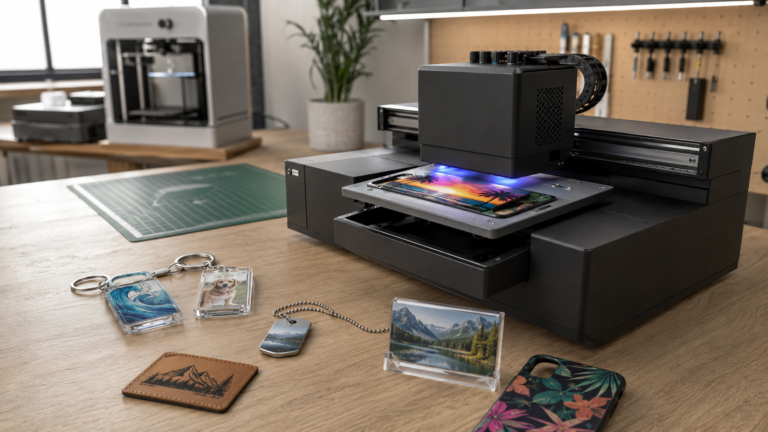
If you run a small product decoration shop, you may have noticed the recent chatter tying Bambu to desktop UV printing.
That doesn’t mean you should treat a rumored or expected product like a confirmed buying option. As of this final edit, public checks didn’t surface a clear official Bambu UV printer product page with verified specs, pricing, launch date, or buying details.
That matters.
But it also doesn’t make the topic useless.
The real signal is bigger than one possible machine. Small-shop buyers are starting to expect desktop production equipment to feel more like modern consumer hardware: easier setup, cleaner software, better documentation, tighter ecosystems, and less mystery between opening the box and producing something sellable.
If that expectation moves deeper into UV printing, small product decorators should pay attention.
Not because hype pays the bills. It doesn’t.
Because buyer expectations can pressure an entire equipment category to improve.
The useful question isn’t whether the rumor is exciting
Small shops don’t need another round of machine speculation. They need practical answers.
Will desktop UV become easier to learn without becoming harder to maintain? Will software reduce mistakes around white ink, varnish layers, placement, and repeat jobs? Will support and spare parts improve? Will new buyers still underestimate ventilation, surface prep, ink handling, and curing realities?
Those questions matter more than whether a brand name is trending.
A small product decorator usually has a narrow margin for equipment mistakes. One machine can affect your product selection, your workspace, your pricing, and your cash flow. That’s why this topic works best as an Industry News signal, not a launch-hype article.
The right takeaway isn’t “wait for Bambu.”
The right takeaway is “watch what this kind of pressure could force the desktop UV market to get better at.”
Why Bambu-style expectations matter in desktop fabrication
Bambu Lab built a lot of attention in desktop 3D printing by making the ownership experience feel more approachable than older hobby-machine workflows. That doesn’t make every Bambu product the right fit for every business, and it doesn’t automatically translate to UV printing.
But the expectation shift is real.
More buyers now expect machines to come with better software, cleaner onboarding, and a shorter learning curve. That expectation has already changed how people judge 3D printers. If it spreads into UV, it could change how small shops judge flatbed and desktop UV printers too.
Laticy.com has already looked at Bambu from a maker-business angle in the Bambu Lab H2D review. This article is different. The H2D question is about whether one 3D-printing machine fits a business workflow. This question is about what happens if that kind of ecosystem thinking keeps moving toward product decoration.
That distinction matters. This isn’t a Bambu H2D rewrite, and it isn’t a best-printer list.
It’s a watchlist for small operators.
What a stronger desktop UV ecosystem would need to solve
UV printing is attractive because it opens up hard-goods decoration: acrylic, coated metal, leatherette, keychains, signage parts, photo gifts, and specialty blanks.
It’s also more operationally demanding than the clean sample photos suggest.
A better desktop UV market would not just need cheaper machines. It would need better answers to the parts of UV ownership that slow small shops down.
Software that reduces setup friction
Small decorators lose a lot of time before the print even starts.
Artwork has to be placed correctly. Jigs need to line up. White ink layers need to behave. Varnish effects need to be intentional, not accidental. Repeat jobs need to be saved in a way that doesn’t require rebuilding the setup every time a customer reorders.
If desktop UV gets more ecosystem pressure, software is one of the first places to watch.
Good software should help with:
- repeatable jig and fixture layouts
- safer artwork placement
- white ink underbase control
- varnish layer setup
- template reuse for repeat products
- fewer steps between approved art and sellable output
That doesn’t mean software can fix bad process. It can’t. But better software can reduce the number of places where a beginner shop loses time through avoidable setup mistakes.
For small orders, that matters more than raw top speed.
Consumables that don’t turn into a hidden business risk
A UV printer is never just a printer.
It’s also ink, cleaning routines, replacement parts, surface prep, test blanks, and ventilation.
That’s where desktop buyers get burned. The purchase price is easy to compare. The operating system around the machine is harder to judge until you’re already responsible for orders.
If a major ecosystem player pushes toward desktop UV, one of the biggest tests will be whether consumables and maintenance become easier to understand without being oversimplified.
Small shops should watch for practical signs:
- clear ink availability
- documented cleaning schedules
- realistic maintenance prompts
- replacement-part access
- honest warranty limits
- material compatibility guidance
- useful support content beyond marketing videos
If those pieces are weak, the machine can still become expensive even if the upfront price looks friendly.
Before buying any UV setup, run the numbers through the kind of per-item thinking covered in Desktop UV Printing Costs: Real Per-Item Math and Margins. A machine trend isn’t a business model by itself.
Support and repairability that match small-shop reality
Many small product decorators are owner-operators. They don’t have an in-house technician. If the printer goes down, production slows, customer messages pile up, remakes get delayed, and revenue can pause.
That makes repairability more than a technical detail.
It’s a business risk.
A stronger desktop UV ecosystem would need to make routine troubleshooting less mysterious. Buyers should watch for clearer diagnostics, better documentation, available parts, honest service timelines, and support that understands small-business urgency.
This is especially important because UV systems involve more variables than a simple desktop gadget. Ink systems, printheads, adhesion, environmental conditions, and operator handling can all affect output.
The question isn’t whether a polished brand can make UV completely simple.
The question is whether it can make ownership more predictable.
That’s the standard small shops should care about.
The hard parts of UV printing don’t disappear because the machine gets friendlier
This is where operators need to stay sober.
A better buying experience doesn’t erase the physical realities of printing on real objects. UV can become easier to enter, but it still rewards shops that control their process.
Color workflow still needs discipline
Desktop UV is often sold visually. The samples look sharp. The clips are satisfying. Full-color hard goods are easy to understand as a product category.
But color isn’t automatic across acrylic, coated metal, plastic, wood, and other blanks. White ink behavior changes the look. Gloss changes the look. Material color changes the look. Surface texture changes the look.
If UV printing draws more mainstream attention, more shops will need better rules around:
- approved material lists
- test swatches
- color disclaimers
- customer proofing
- repeat-order notes
- SKU-specific print settings
- remake thresholds
Without that discipline, a shop can sell impressive samples and still struggle to deliver consistent paid orders.
Surface prep is where beginner margins disappear
Surface prep is one of the least glamorous parts of UV printing, and one of the most important.
Oils from handling, inconsistent coatings, dust, and material differences can all affect adhesion. A product can look fine when it leaves the printer and still fail a scratch test, tape test, or customer-use test.
That’s why blank selection matters almost as much as printer selection.
A shop that wants an easier UV workflow should not start by offering every blank category at once. It should build a narrow, tested list of products it can decorate consistently.
The Best UV Printer Blanks for Beginners guide is the stronger companion piece for that decision. The machine gets attention, but the blank determines whether the job is repeatable.
Safety and ventilation are still not optional
The word “desktop” can make equipment feel safer and simpler than it really is.
Desktop doesn’t automatically mean bedroom-safe, office-safe, or plug-and-forget safe.
UV workflows can involve ink handling, fumes depending on the material, cleaning chemicals, and PPE needs. A responsible buyer should treat ventilation, workspace layout, handling procedures, and cleanup as part of the equipment decision.
This is where hype can hurt beginners. If a machine is marketed as approachable, buyers may skip the boring operating details that protect the business.
Don’t do that.
If you can’t support the machine safely in your actual workspace, the machine isn’t a good fit yet.
Should a small shop wait for a Bambu-style UV option?
Usually, no.
Waiting can make sense if you’re still researching, your current production method is working, and you don’t need UV capacity right now. It can also make sense if your biggest constraint is uncertainty, not demand.
But if you already have validated products, steady demand, known blanks, and a pricing model that works, waiting on market chatter can become its own form of procrastination.
A better framework is simple.
Wait if:
- you’re still defining your product line
- you don’t have clear UV-ready products yet
- your current workflow is profitable enough to buy time
- you want to compare upcoming ecosystem changes before spending
- you aren’t ready for ventilation, maintenance, and testing requirements
Buy proven equipment now if:
- you already have repeat demand
- your current bottleneck is decoration capacity
- you know which blanks and products you want to sell
- you can price the work profitably
- you need supportable equipment, not speculation
If you’re comparing actual machines, use the criteria in Best UV Printer for Small Business in 2026 instead of chasing a rumor. A proven machine with known limitations is often safer than an imagined machine with perfect expectations.
What small product decorators should watch next
The next few months are worth watching, but the watchlist should be practical.
Don’t just ask whether a specific brand enters the category. Ask whether the category improves in ways that help small shops operate.
1. Better software for repeatable jobs
Look for tools that make it easier to save product templates, manage jigs, control layers, repeat prior jobs, and reduce setup mistakes.
2. Clearer consumables and maintenance systems
A serious desktop UV ecosystem should make ink, cleaning, parts, and routine maintenance easier to understand before purchase.
3. Honest safety messaging
If a product is positioned as desktop-friendly, the safety guidance should be specific. Ventilation, handling, cleaning, and workspace requirements should not be buried.
4. Stronger beginner education
The best sign isn’t a flashy promo video. It’s documentation that helps new owners avoid bad products, weak adhesion, pricing mistakes, and unrealistic turnaround promises.
5. Repair and parts access
Small shops need uptime. Watch whether brands make service paths clearer, not just whether the launch content looks polished.
6. Real business-model fit
A UV printer should support products you can sell profitably. It should not force you into a product line just because the machine can technically print on many surfaces.
For a broader look at whether UV should become a standalone business or support another shop lane, use UV Printer Business Model vs Laser Business. That decision matters more than brand speculation.
The broader trend: desktop manufacturing categories are converging
The biggest point may not be Bambu at all.
The larger trend is convergence. Hobby-adjacent machine expectations are moving closer to small-business production needs. Buyers want approachable equipment, active communities, clean software, and better support. At the same time, they still need commercial discipline around cost, workflow, safety, and reliability.
That convergence could be good for small product decorators.
It could push UV sellers to make machines easier to understand, easier to maintain, and easier to integrate into small-shop workflows. It could also bring in buyers who aren’t ready for the messier parts of UV production.
Both things can be true.
That’s why small shops should read the signal without over-reading the rumor.
Pay attention to the category. Watch the software. Watch support. Watch consumables. Watch how honestly brands talk about safety and maintenance.
But don’t build your Q4 or 2026 product strategy around an unconfirmed machine.
Build around proven demand, proven blanks, proven margins, and a workflow you can actually run.
Bottom line
The Bambu-and-desktop-UV conversation is worth watching because it points to a bigger expectation shift in maker equipment.
Small product decorators want UV printers that are easier to set up, easier to support, easier to learn, and easier to fit into a real business workflow. If major ecosystem pressure pushes the category in that direction, that matters.
But the smart move isn’t to chase hype.
Use the signal to sharpen your buying criteria. Make your UV shortlist stricter. Demand better software, clearer maintenance, realistic safety guidance, dependable consumables, and stronger support.
Then make the business decision the same way you should make any equipment decision: based on products you can sell, costs you can control, and a workflow your shop can repeat.
FAQ
Has Bambu officially launched a UV printer?
As of this final edit, public checks didn’t surface a clearly confirmed official Bambu UV printer launch page with verified specs, pricing, and buying details. This article treats the topic as a desktop UV market signal, not a confirmed product announcement.
Why does Bambu matter to desktop UV if there’s no confirmed UV printer?
Bambu matters because it has shaped buyer expectations around desktop fabrication: easier setup, cleaner software, stronger ecosystems, and active user communities. If those expectations move into UV printing, existing UV brands may feel pressure to improve the ownership experience.
Should I wait for a possible new desktop UV printer before buying?
Wait if you’re still researching, don’t have validated UV products, or can keep making money with your current workflow. If you already have demand, known blanks, and a profitable pricing model, proven equipment may be the safer move.
What should small shops look for in a desktop UV printer?
Look beyond print samples. Check the software workflow, ink availability, maintenance routines, support quality, blank compatibility, and realistic per-item costs.
Is desktop UV good for a maker business?
It can be, especially for short-run personalization and hard-goods decoration. But it works best when the shop has repeatable blanks, controlled product offers, realistic pricing, and a workspace that can support the safety and maintenance requirements.
What is the biggest mistake beginners make with UV printing?
The biggest mistake is treating the printer as the whole business system. UV margins depend on blanks, surface prep, pricing, and a repeatable workflow, not just the machine itself.